


 Home
Home Network Structure PPT Sample
Our Network Structure PPT Sample are topically designed to provide an attractive backdrop to any subject. Use them to look like a presentation pro.

























































-

- Google Slides is a new FREE Presentation software from Google.
- All our content is 100% compatible with Google Slides.
- Just download our designs, and upload them to Google Slides and they will work automatically.
- Amaze your audience with SlideGeeks and Google Slides.
-

Want Changes to This PPT Slide? Check out our Presentation Design Services
-

- WideScreen Aspect ratio is becoming a very popular format. When you download this product, the downloaded ZIP will contain this product in both standard and widescreen format.
-

- Some older products that we have may only be in standard format, but they can easily be converted to widescreen.
- To do this, please open the SlideGeeks product in Powerpoint, and go to
- Design ( On the top bar) -> Page Setup -> and select "On-screen Show (16:9)” in the drop down for "Slides Sized for".
- The slide or theme will change to widescreen, and all graphics will adjust automatically. You can similarly convert our content to any other desired screen aspect ratio.
Compatible With Google Slides

Get This In WideScreen
You must be logged in to download this presentation.


Do you want to remove this product from your favourites?
 Impress Your
 Audience
 100%
100% Editable
Compatible with Google Slides
Features of these PowerPoint presentation slides:
People who downloaded this PowerPoint presentation also viewed the following :
Related Products






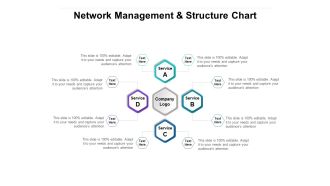
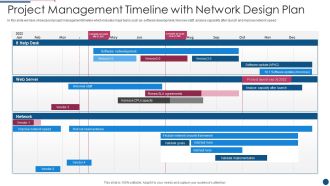


Network Structure PPT Sample with all 69 slides:
Use our Network Structure PPT Sample to effectively help you save your valuable time. They are readymade to fit into any presentation structure.
Content of this Powerpoint Presentation
Slide 1: This slide highlights the presentation title: Network Structure.
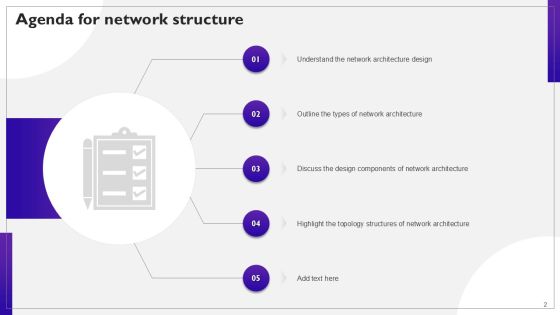
Slide 2: This slide states Agenda of the presentation.
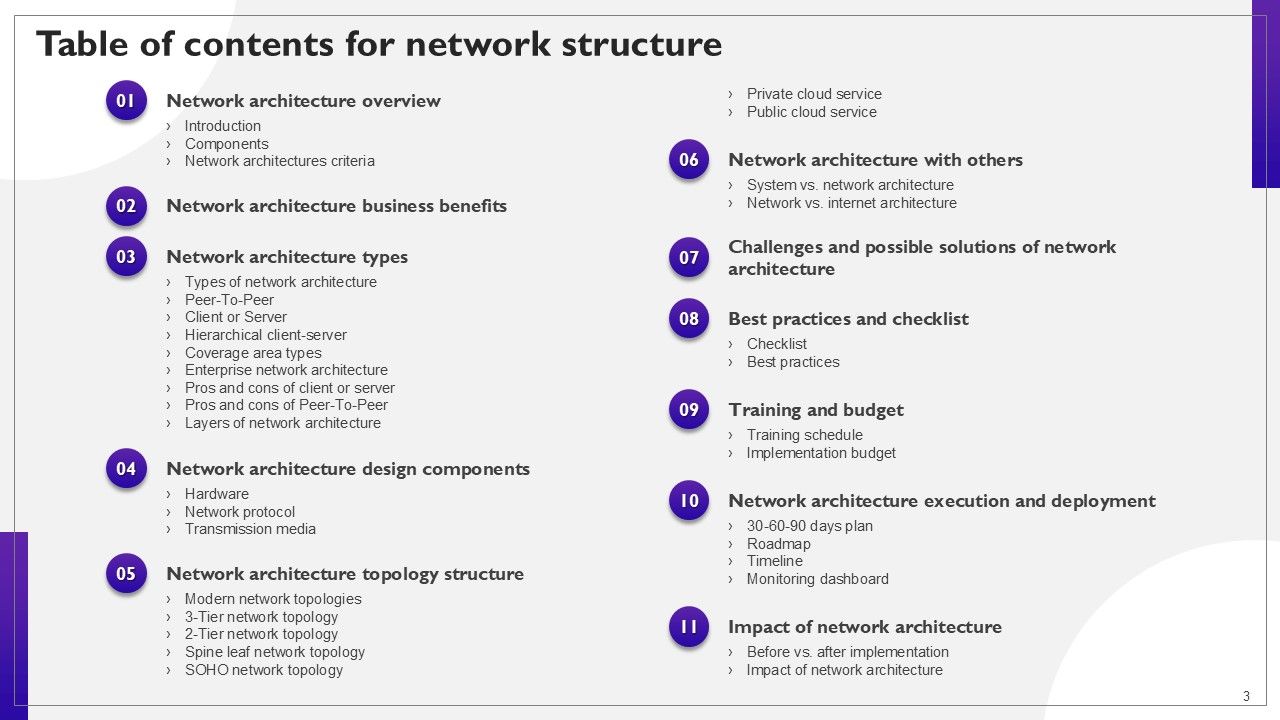
Slide 3: This slide shows Table of Content for the presentation.
Slide 4: This slide highlights title for topics that are to be covered next in the template.
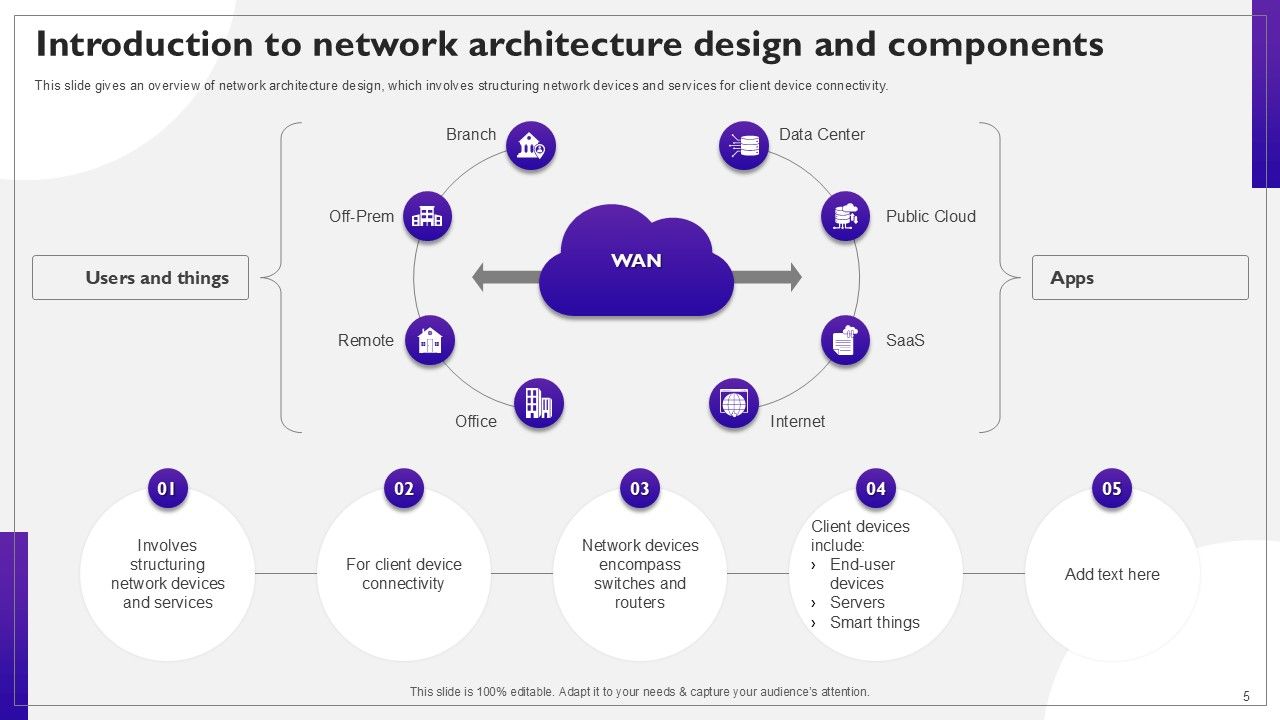
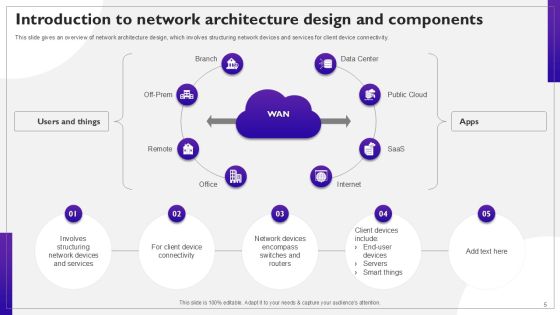
Slide 5: This slide gives an overview of network architecture design, which involves structuring network devices and services for client device connectivity.
Slide 6: This slide outlines the modern network architecture components, including intent-based networking, multidomain, and controller-led networking.
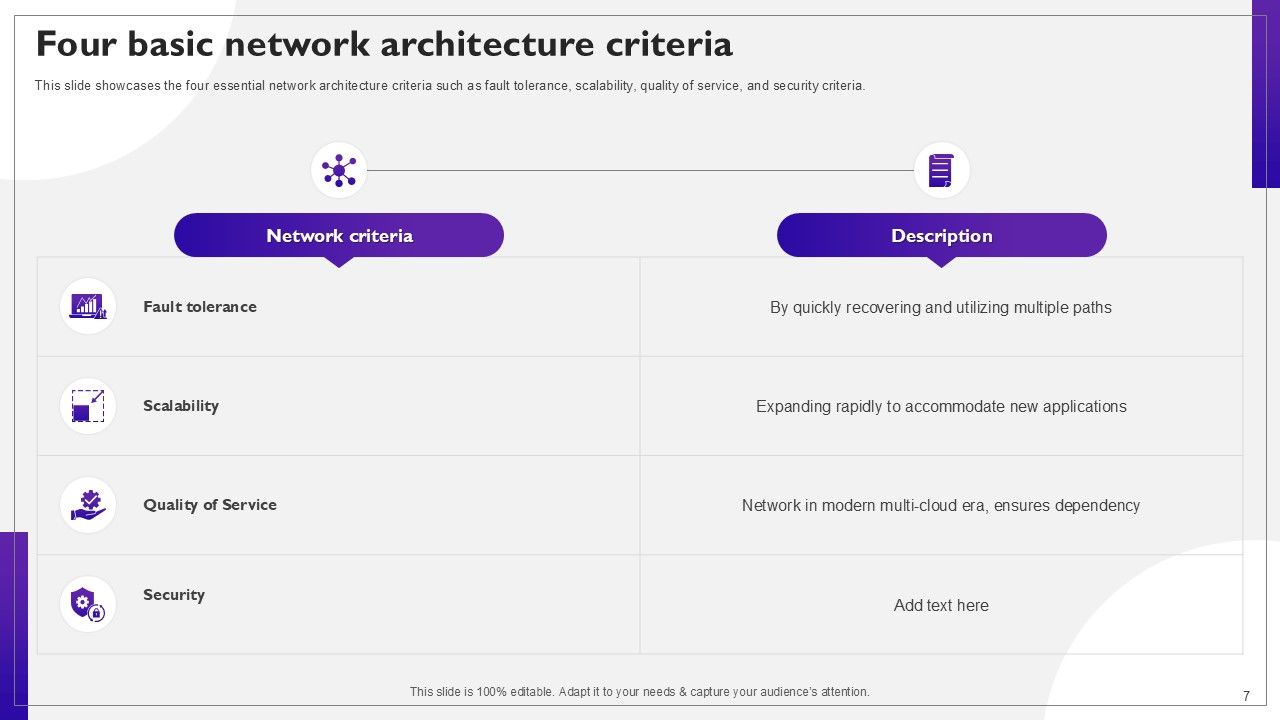
Slide 7: This slide showcases the four essential network architecture criteria such as fault tolerance, scalability, quality of service, and security criteria.
Slide 8: This slide highlights title for topics that are to be covered next in the template.
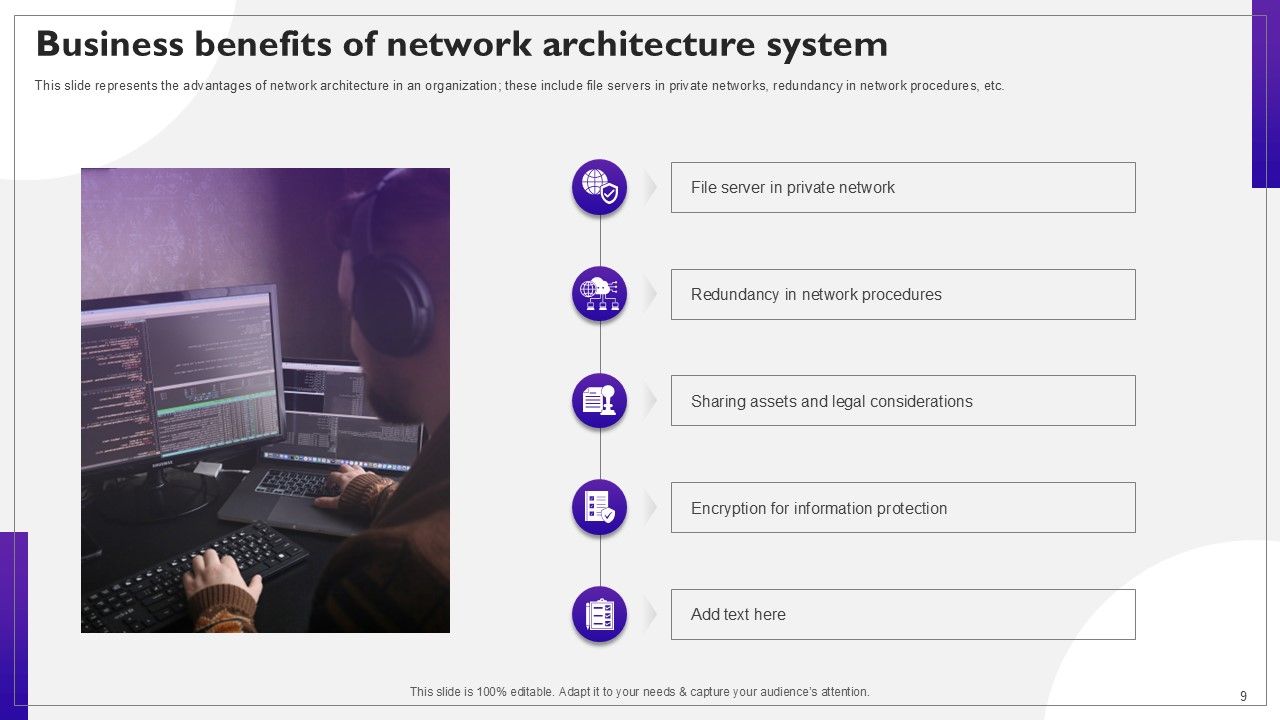
Slide 9: This slide represents the advantages of network architecture in an organization; these include file servers in private networks, redundancy in network procedures, etc.
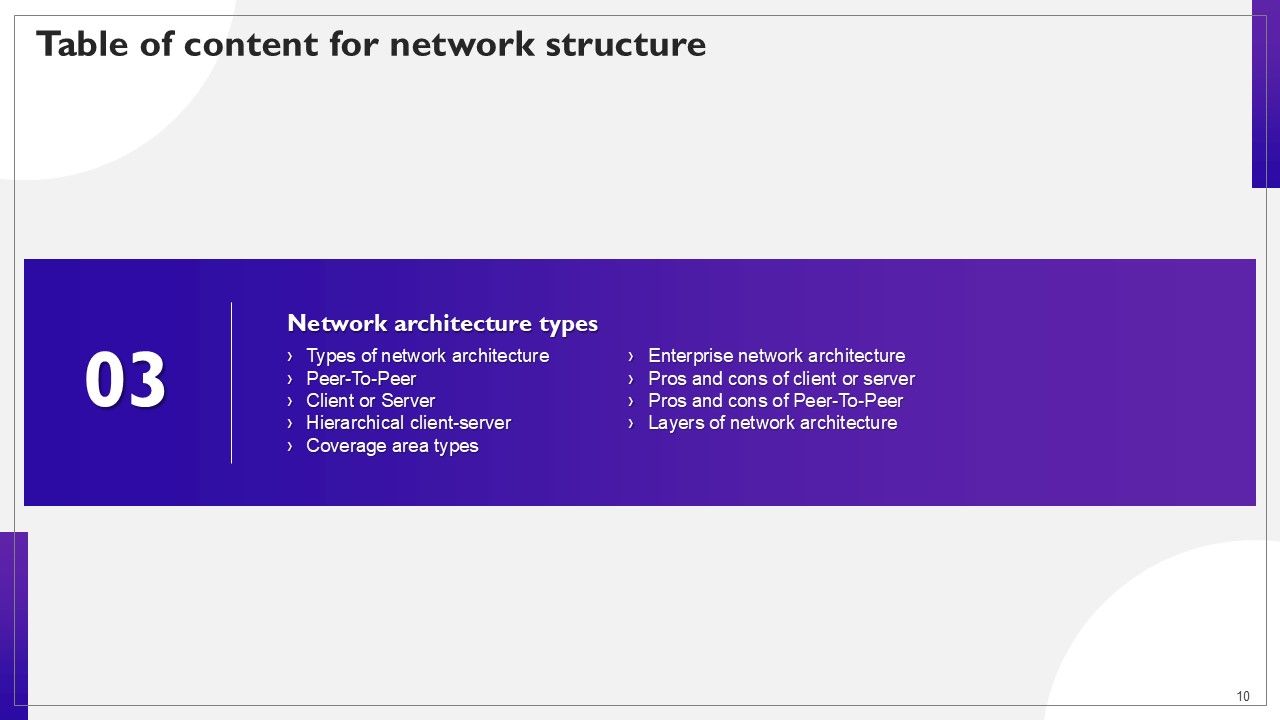
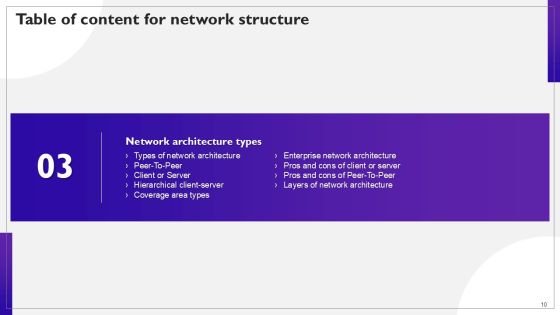
Slide 10: This slide highlights title for topics that are to be covered next in the template.
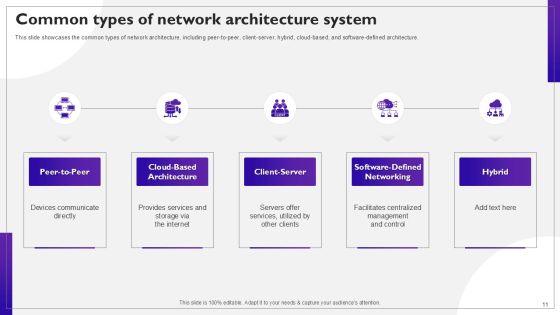
Slide 11: This slide showcases the common types of network architecture, including peer-to-peer, client-server, hybrid, cloud-based, and software-defined architecture.
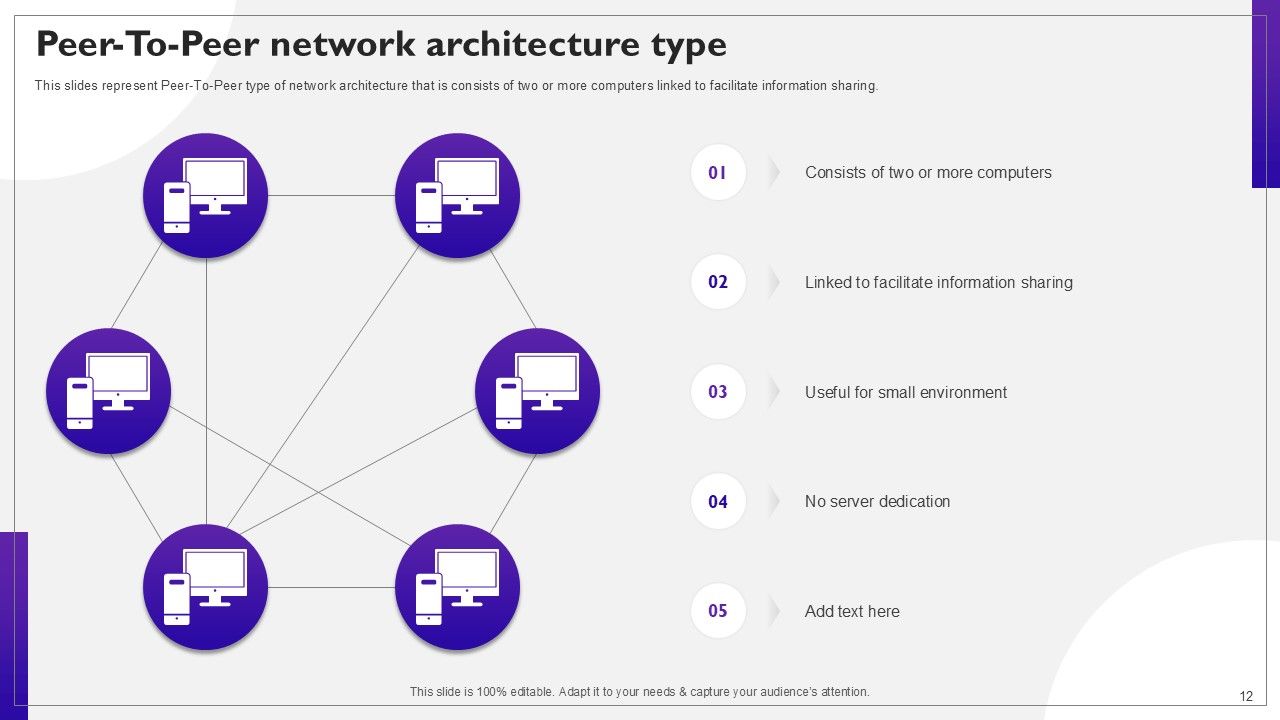
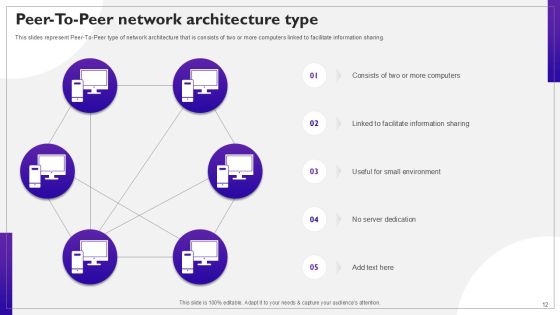
Slide 12: This slides represent Peer-To-Peer type of network architecture that is consists of two or more computers linked to facilitate information sharing.
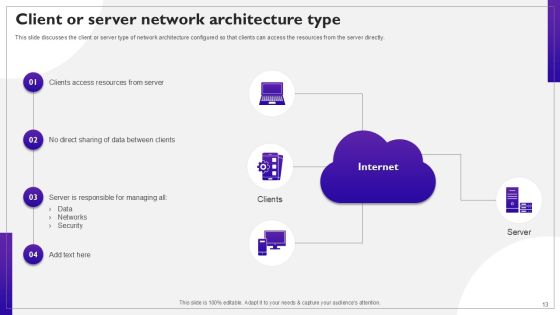
Slide 13: This slide discusses the client or server type of network architecture configured so that clients can access the resources from the server directly.
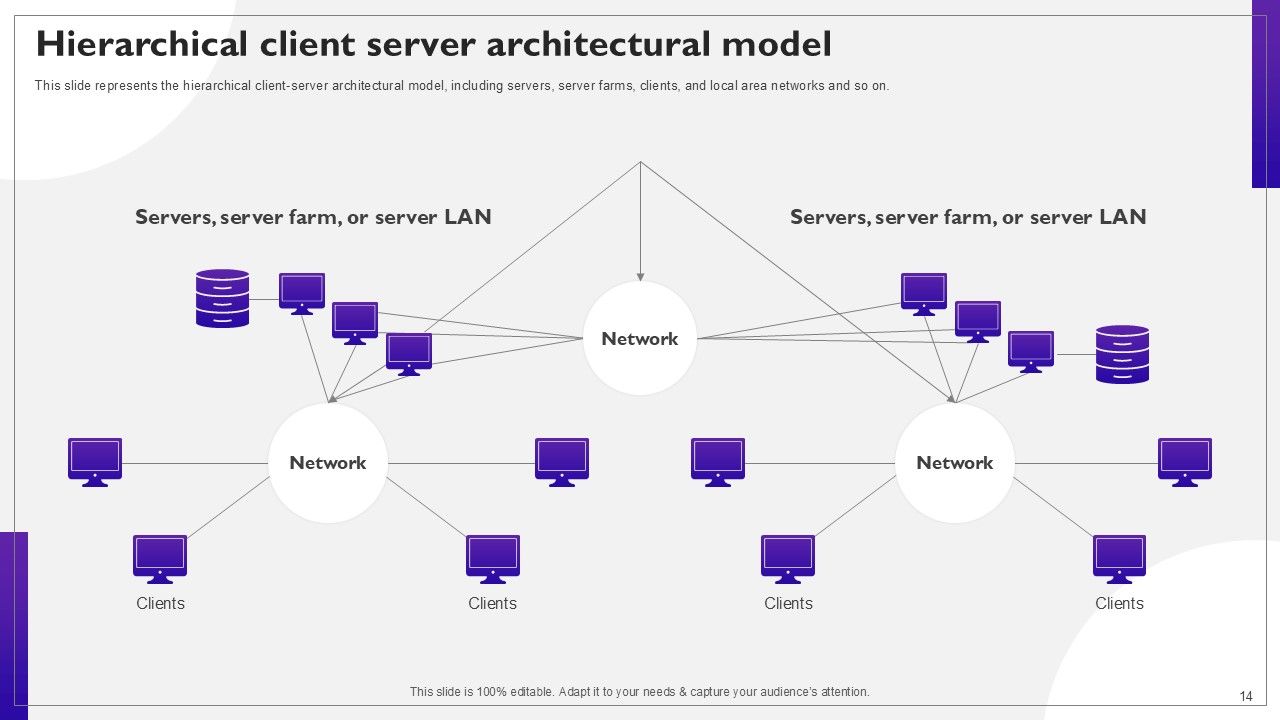
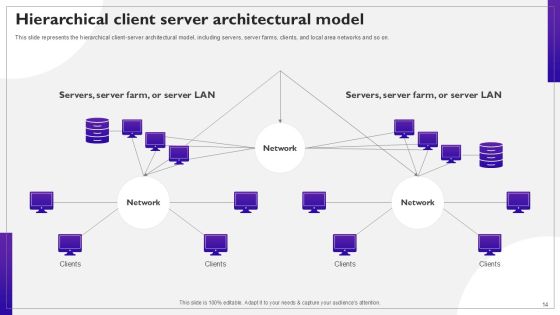
Slide 14: This slide represents the hierarchical client-server architectural model, including servers, server farms, clients, and local area networks and so on.
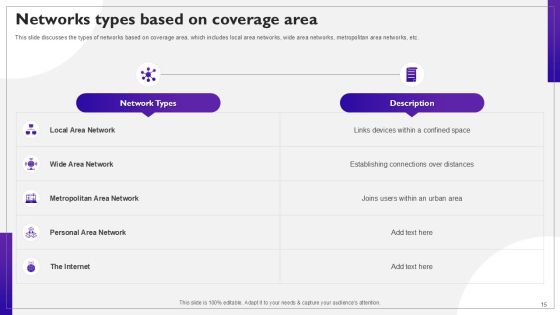
Slide 15: This slide discusses the types of networks based on coverage area, which includes local area networks, wide area networks, metropolitan area networks, etc.
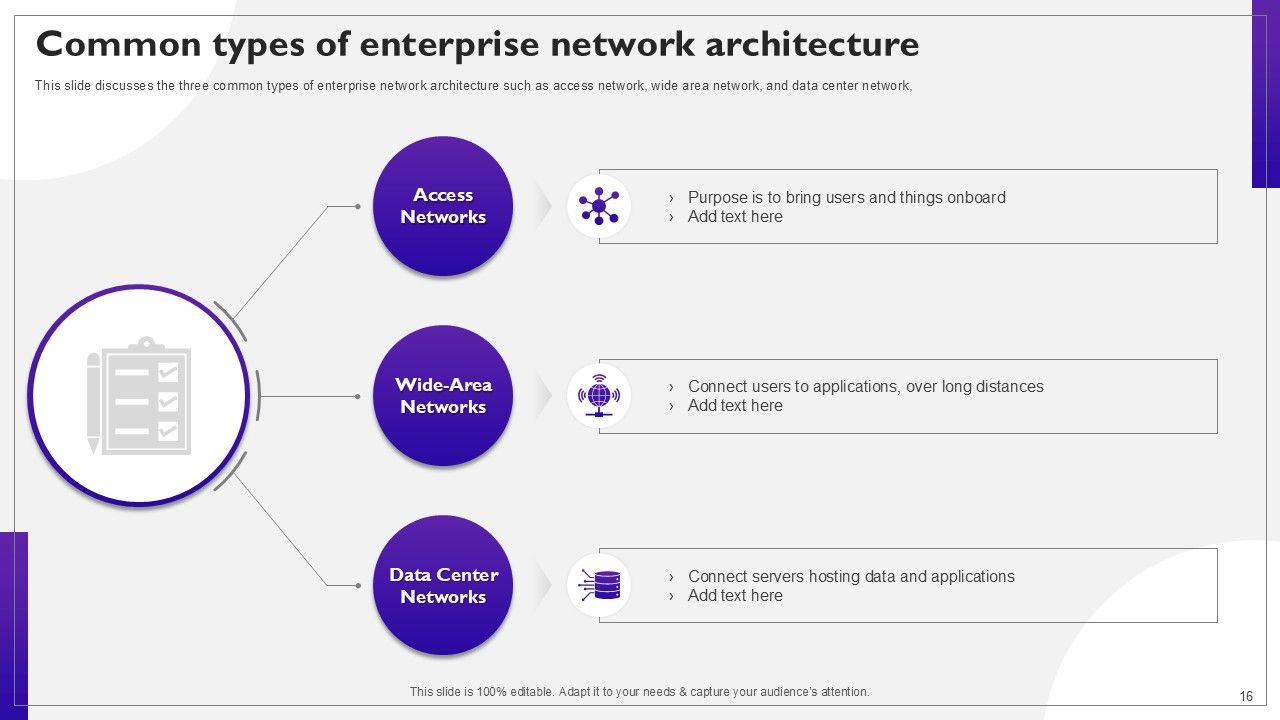
Slide 16: This slide discusses the three common types of enterprise network architecture such as access network, wide area network, and data center network.
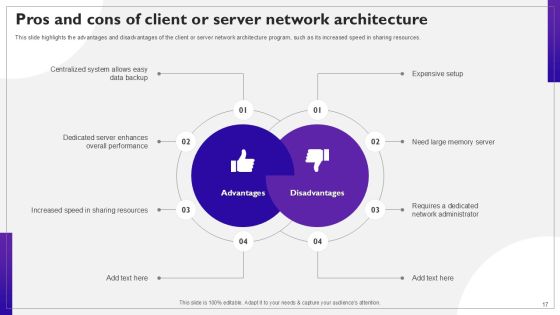
Slide 17: This slide highlights the advantages and disadvantages of the client or server network architecture program, such as its increased speed in sharing resources.
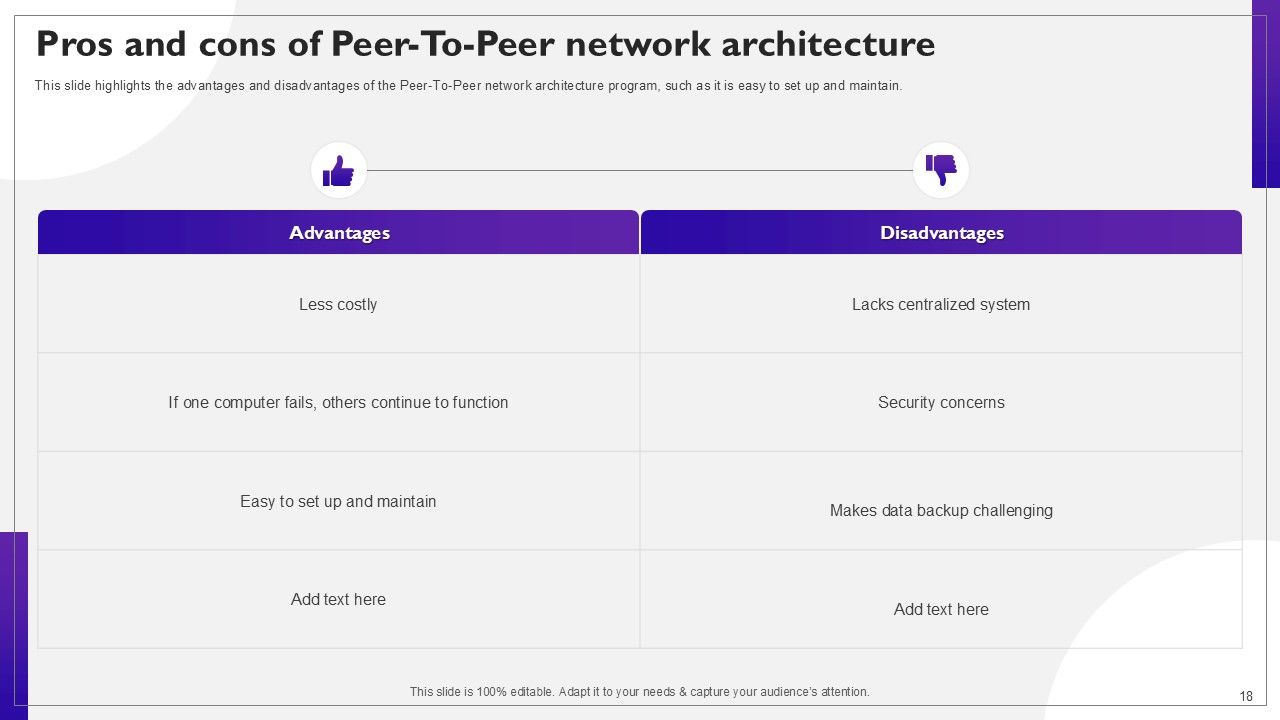
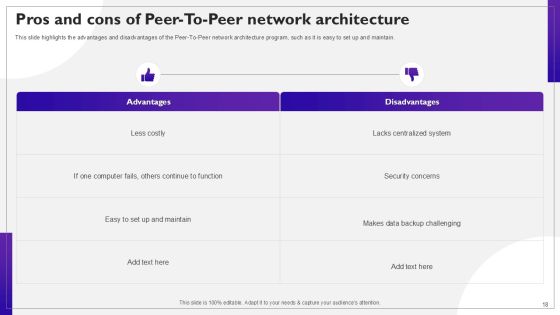
Slide 18: This slide highlights the advantages and disadvantages of the Peer-To-Peer network architecture program, such as it is easy to set up and maintain.
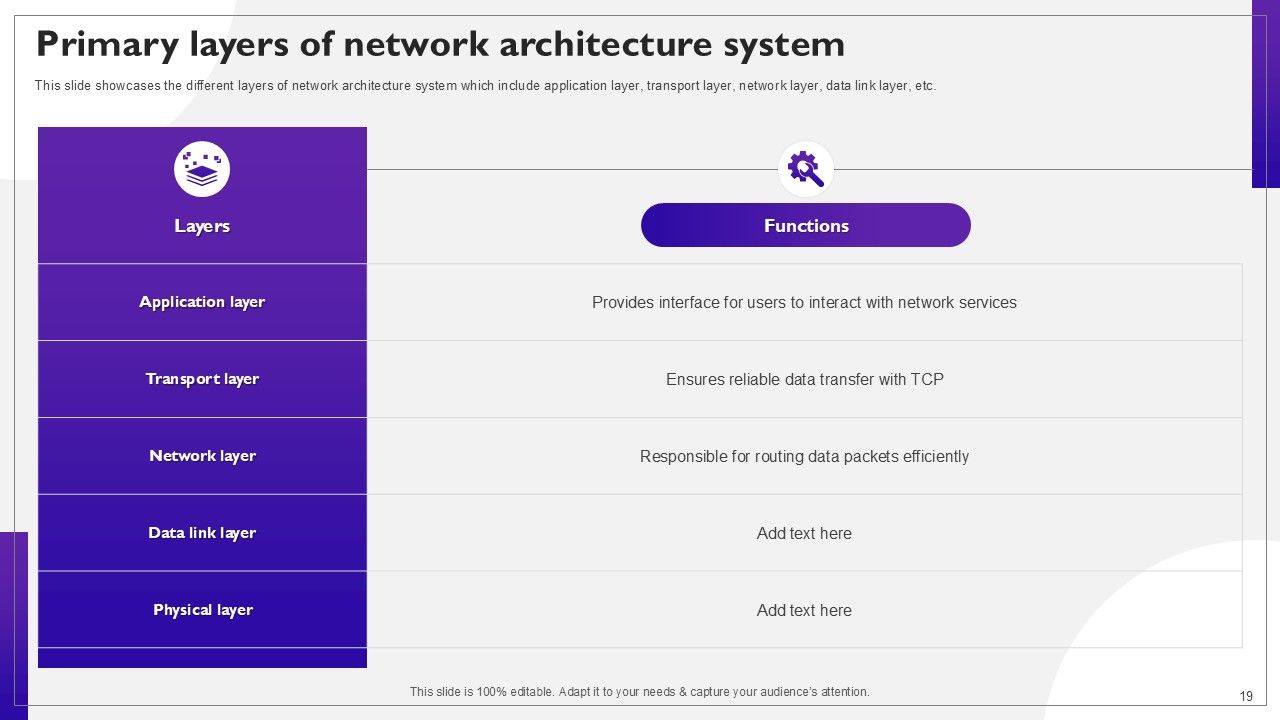
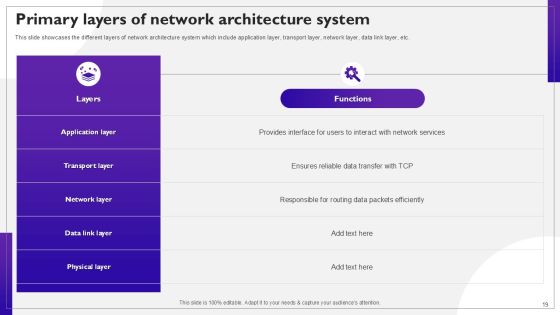
Slide 19: This slide showcases the different layers of network architecture system which include application layer, transport layer, network layer, data link layer, etc.
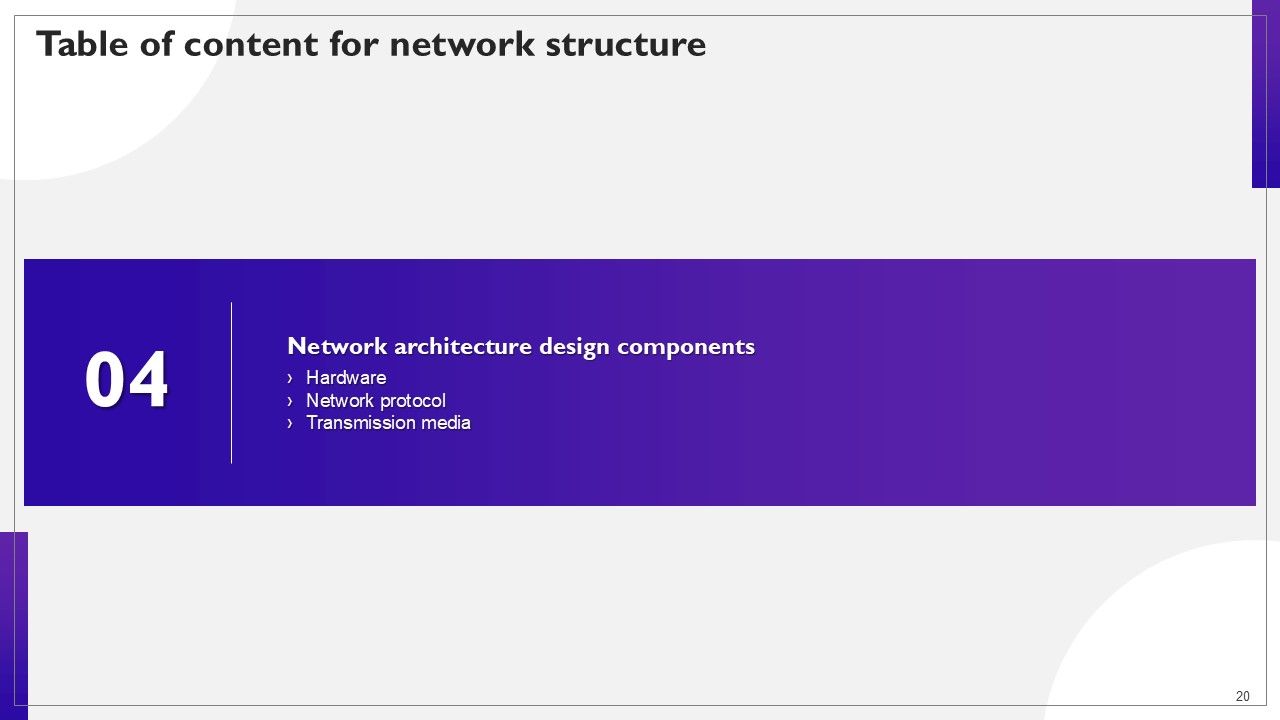
Slide 20: This slide highlights title for topics that are to be covered next in the template.
Slide 21: This slide showcases the hardware component of network architecture design, including routers, switches, servers, and firewall elements of hardware.
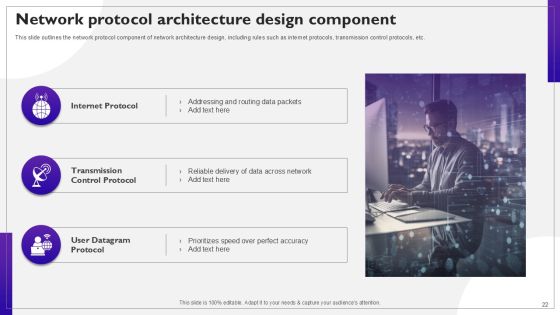
Slide 22: This slide outlines the network protocol component of network architecture design, including rules such as internet protocols, transmission control protocols, etc.
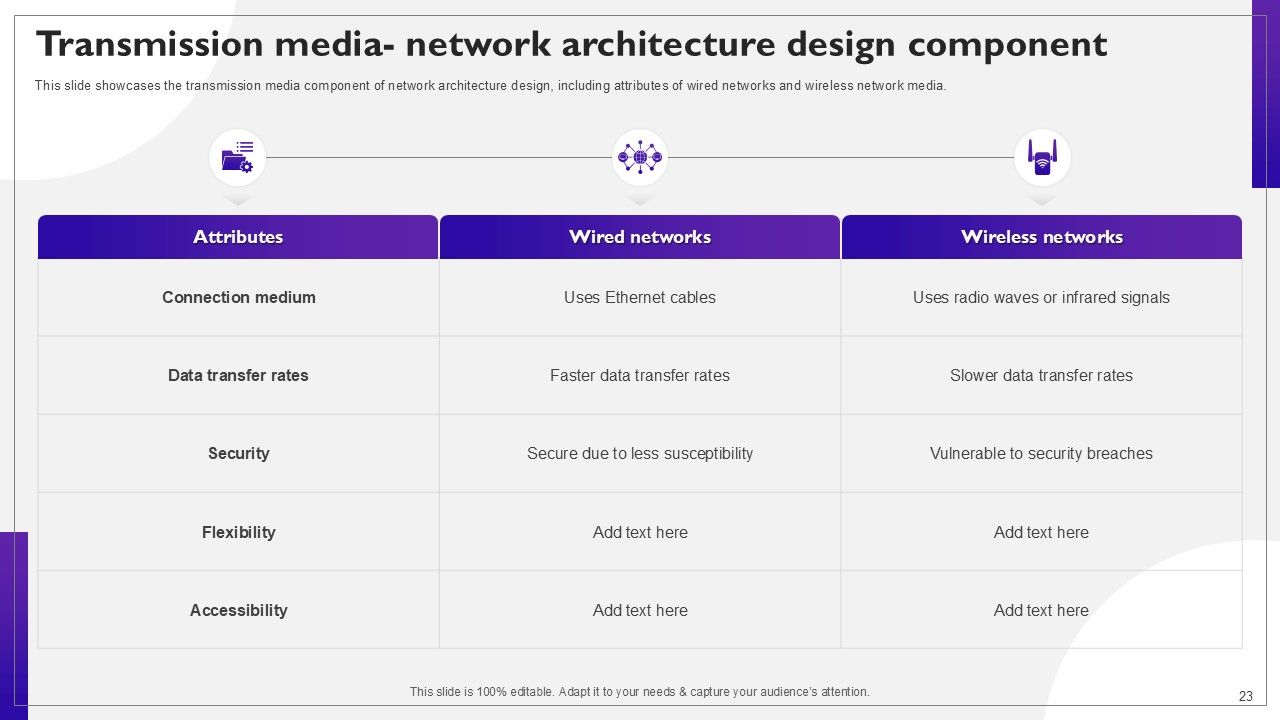
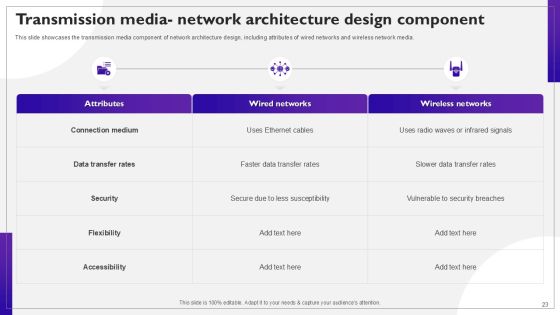
Slide 23: This slide showcases the transmission media component of network architecture design, including attributes of wired networks and wireless network media.
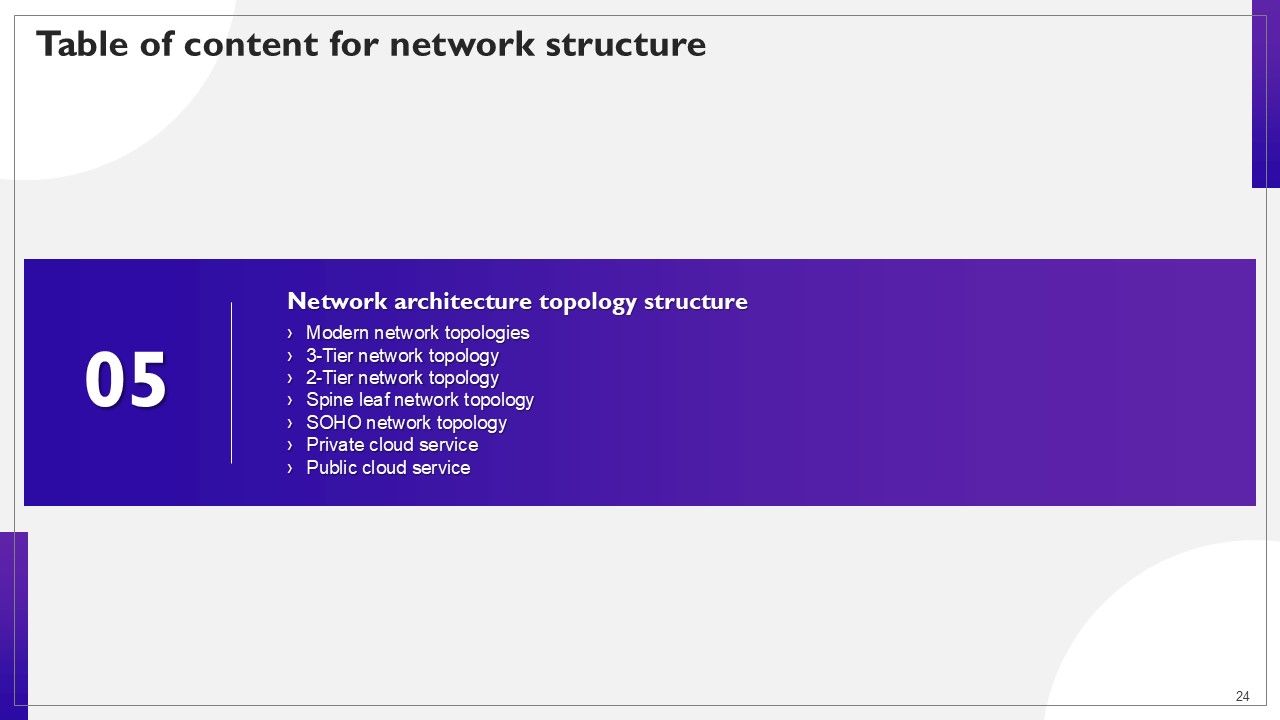
Slide 24: This slide highlights title for topics that are to be covered next in the template.
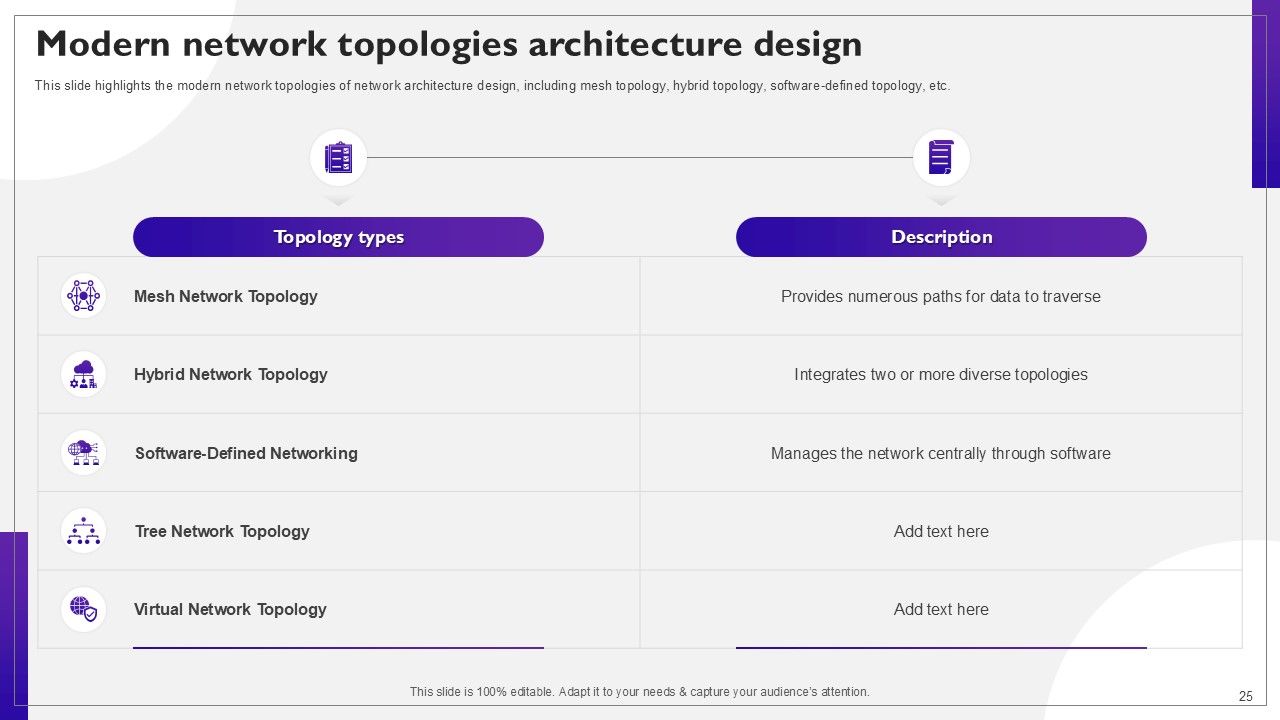
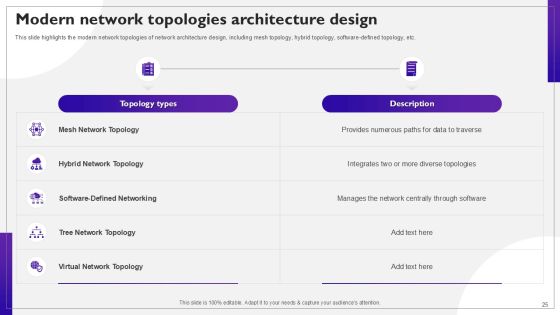
Slide 25: This slide highlights the modern network topologies of network architecture design, including mesh topology, hybrid topology, software-defined topology, etc.
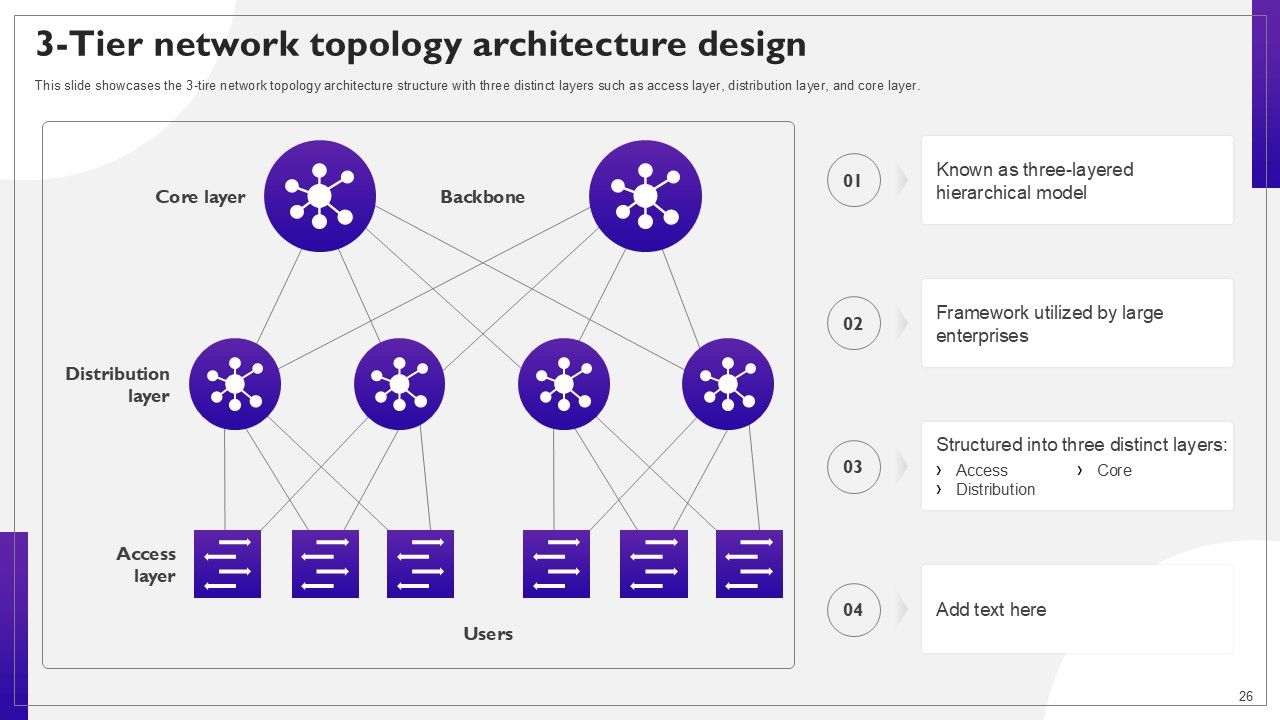
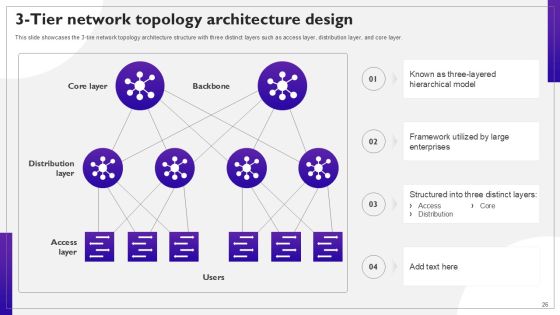
Slide 26: This slide showcases the 3-tire network topology architecture structure with three distinct layers such as access layer, distribution layer, and core layer.
Slide 27: This slide discusses the 2-tire network topology architecture that merges the core and distribution layers and forms two layers collapsed core and access layer.
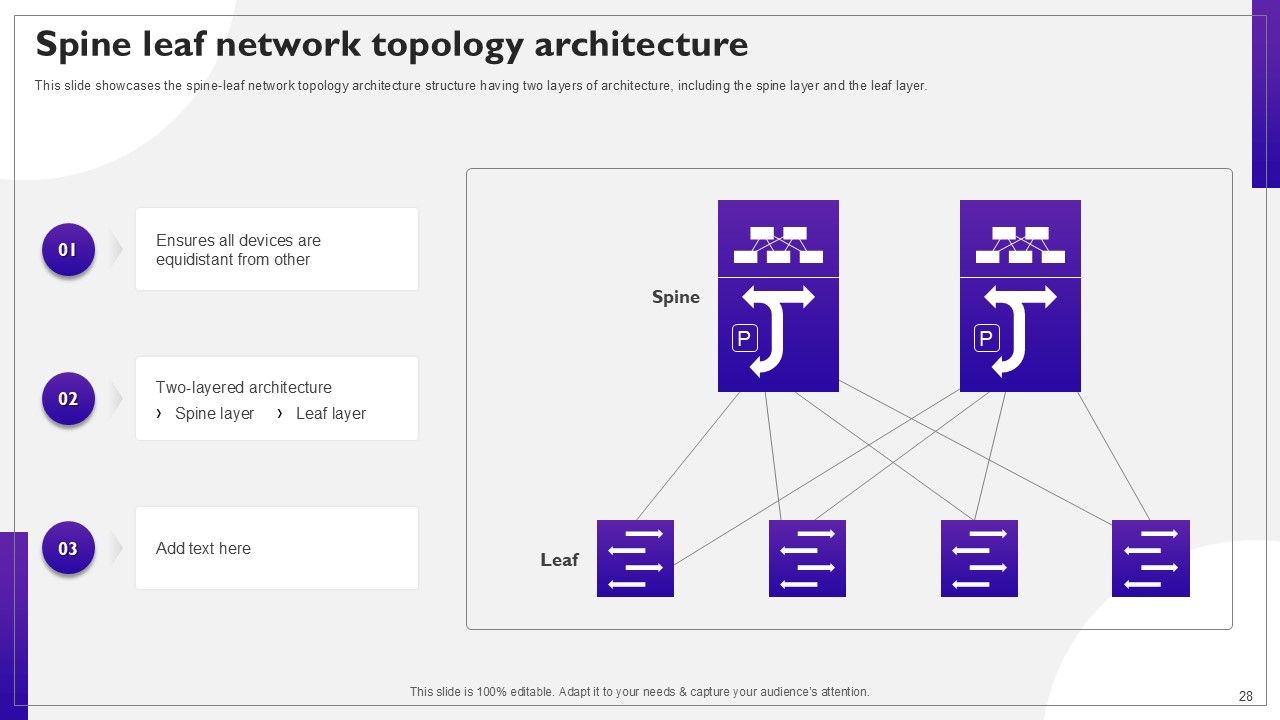
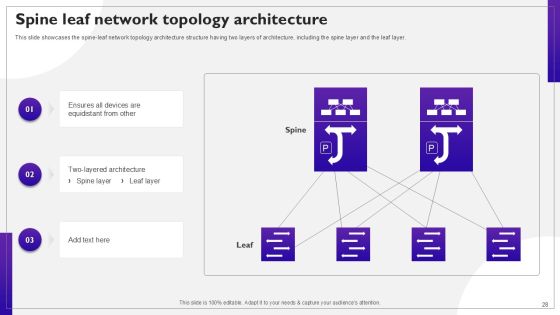
Slide 28: This slide showcases the spine-leaf network topology architecture structure having two layers of architecture, including the spine layer and the leaf layer.
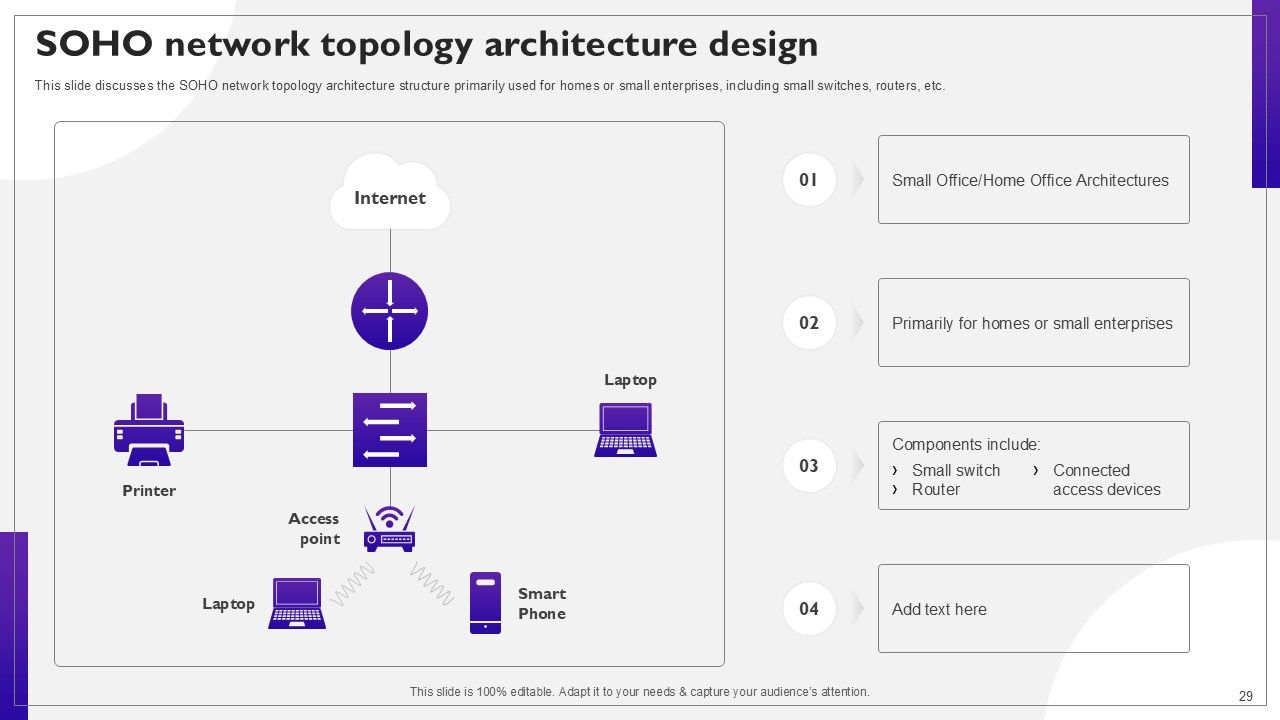
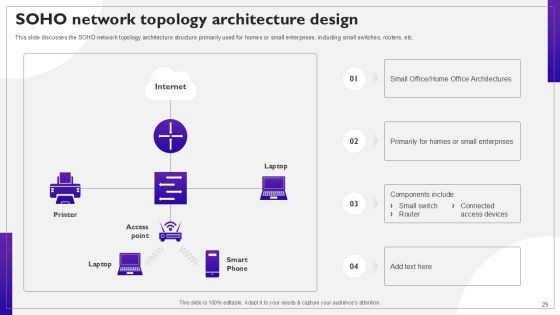
Slide 29: This slide discusses the SOHO network topology architecture structure primarily used for homes or small enterprises, including small switches, routers, etc.
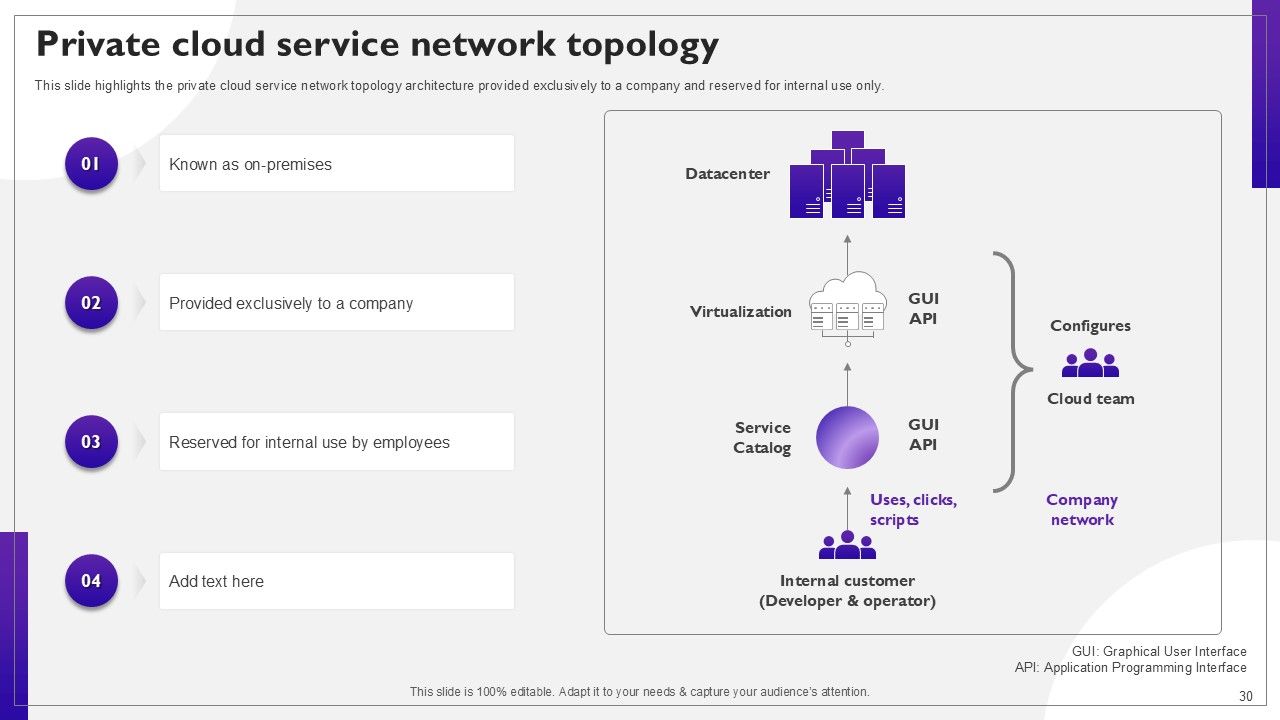
Slide 30: This slide highlights the private cloud service network topology architecture provided exclusively to a company and reserved for internal use only.
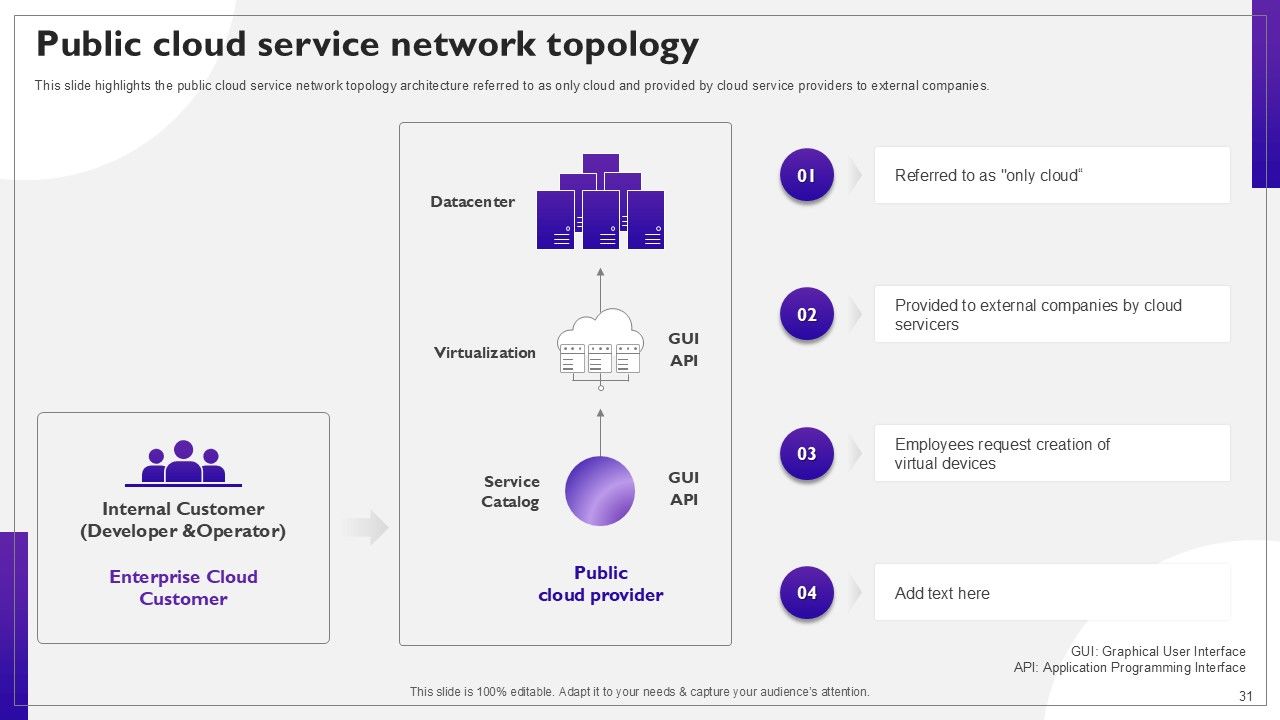
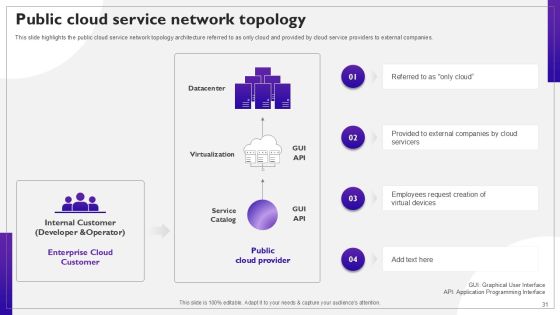
Slide 31: This slide highlights the public cloud service network topology architecture referred to as only cloud and provided by cloud service providers to external companies.
Slide 32: This slide highlights title for topics that are to be covered next in the template.
Slide 33: This slide highlights the difference between system architectural model and network architectural model including components such as security, clients, etc.
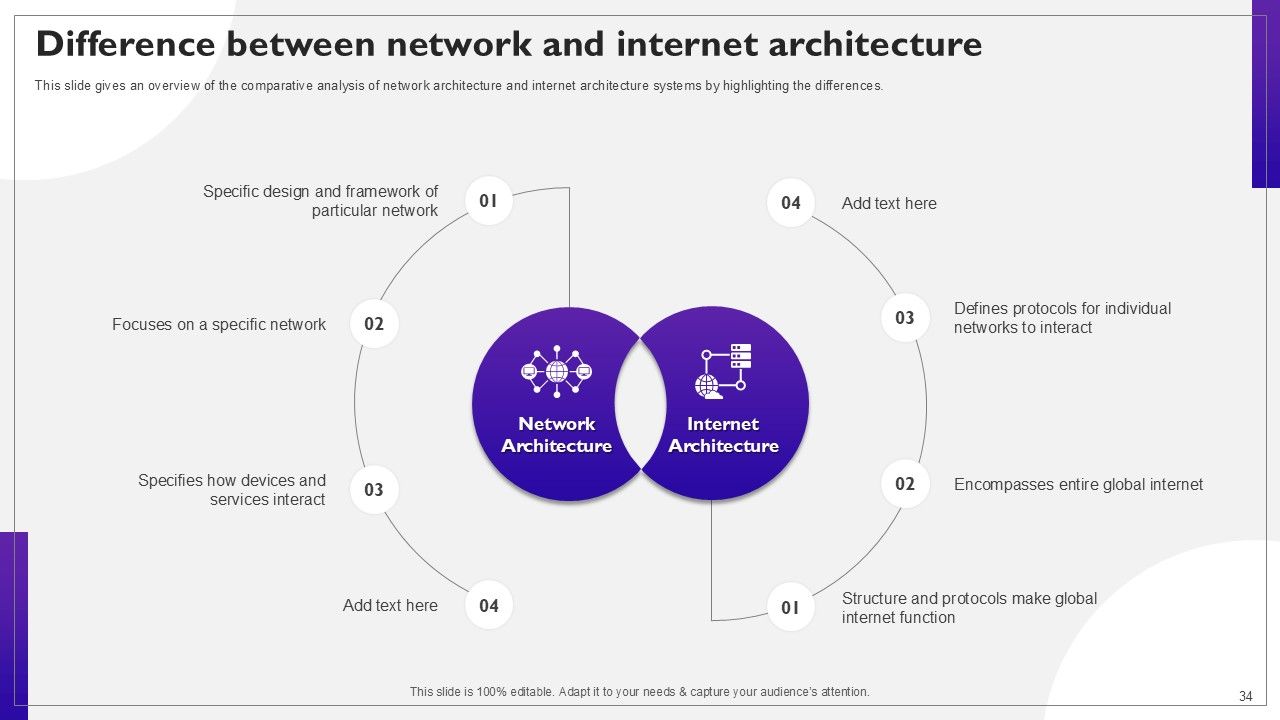
Slide 34: This slide gives an overview of the comparative analysis of network architecture and internet architecture systems by highlighting the differences.
Slide 35: This slide highlights title for topics that are to be covered next in the template.
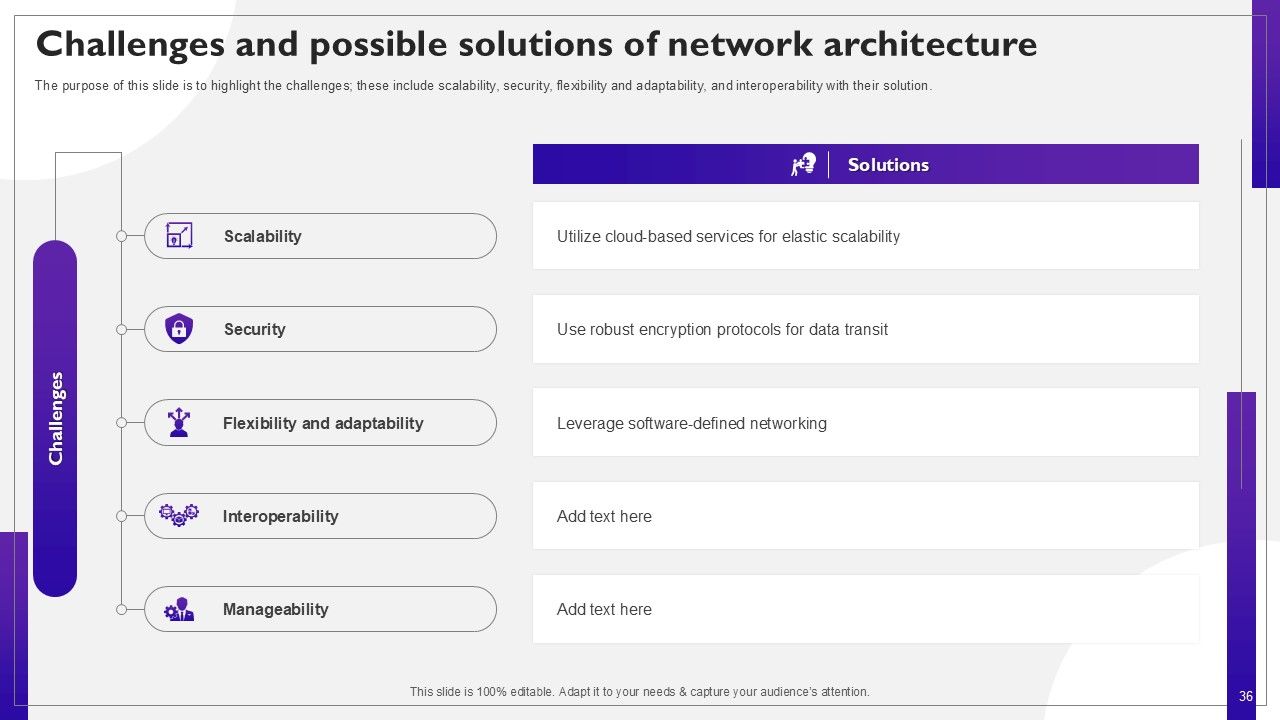
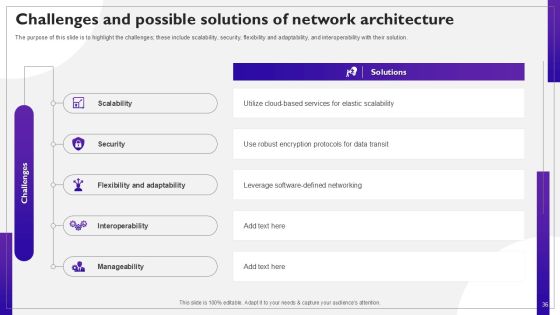
Slide 36: The purpose of this slide is to highlight the challenges; these include scalability, security, flexibility and adaptability, and interoperability with their solution.
Slide 37: This slide highlights title for topics that are to be covered next in the template.
Slide 38: This slide represents the network architecture checklist for implementation in an organization; the approaches are defining current assess infrastructure, etc.
Slide 39: This slide discusses the best practices for implementing network architecture programs in an organization; these best practices include monitoring, security, etc.
Slide 40: This slide highlights title for topics that are to be covered next in the template.
Slide 41: This slide represents the training program for network architecture implementation, which will help organizations outline the mode, cost, agenda, etc.
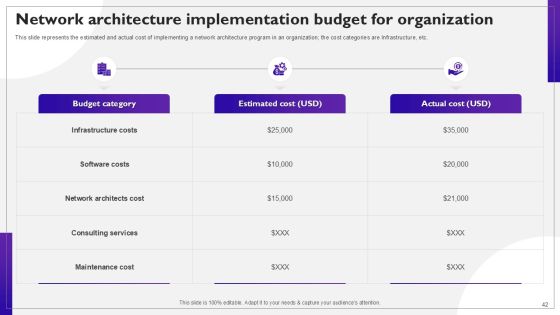
Slide 42: This slide represents the estimated and actual cost of implementing a network architecture program in an organization; the cost categories are Infrastructure, etc.
Slide 43: This slide highlights title for topics that are to be covered next in the template.
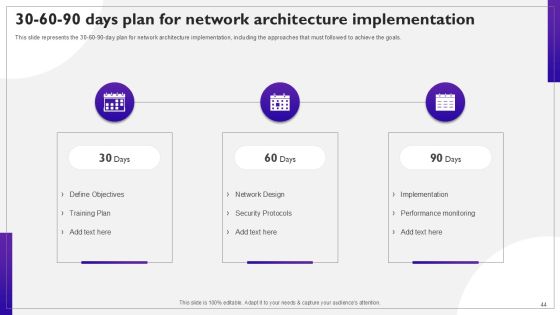
Slide 44: This slide represents the 30-60-90-day plan for network architecture implementation, including the approaches that must followed to achieve the goals.
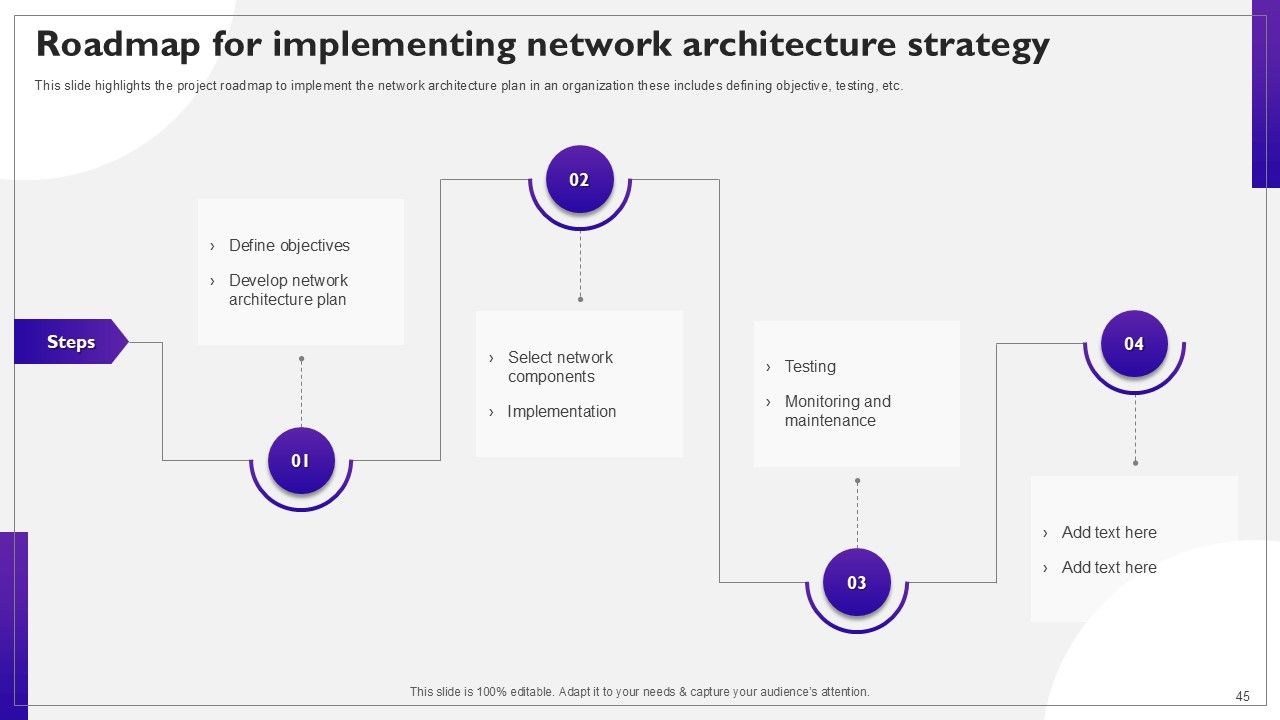
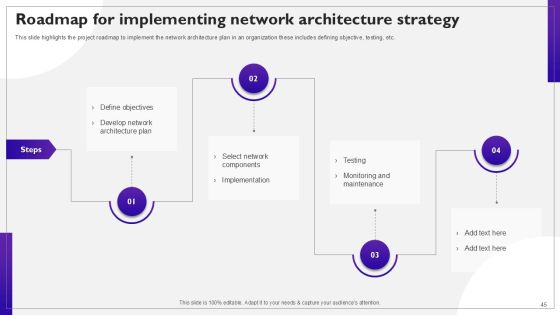
Slide 45: This slide highlights the project roadmap to implement the network architecture plan in an organization these includes defining objective, testing, etc.
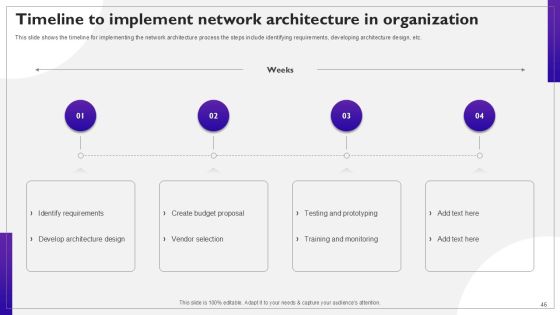
Slide 46: This slide shows the timeline for implementing the network architecture process the steps include identifying requirements, developing architecture design, etc.
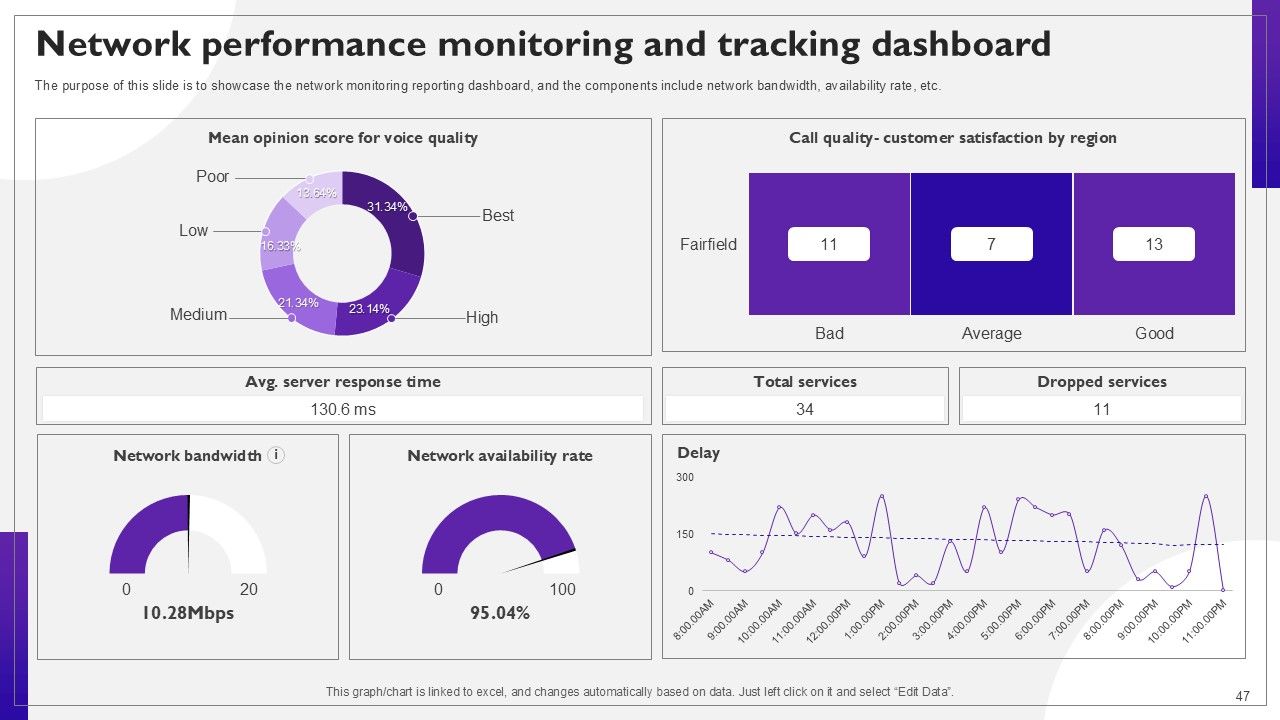
Slide 47: The purpose of this slide is to showcase the network monitoring reporting dashboard, and the components include network bandwidth, availability rate, etc.
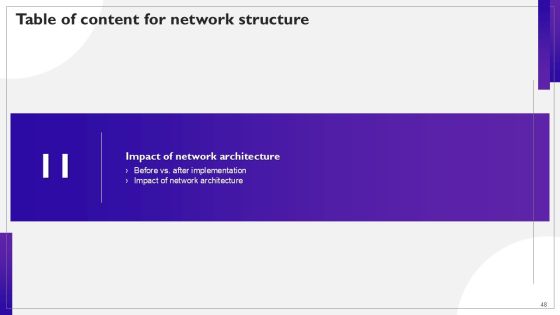
Slide 48: This slide highlights title for topics that are to be covered next in the template.
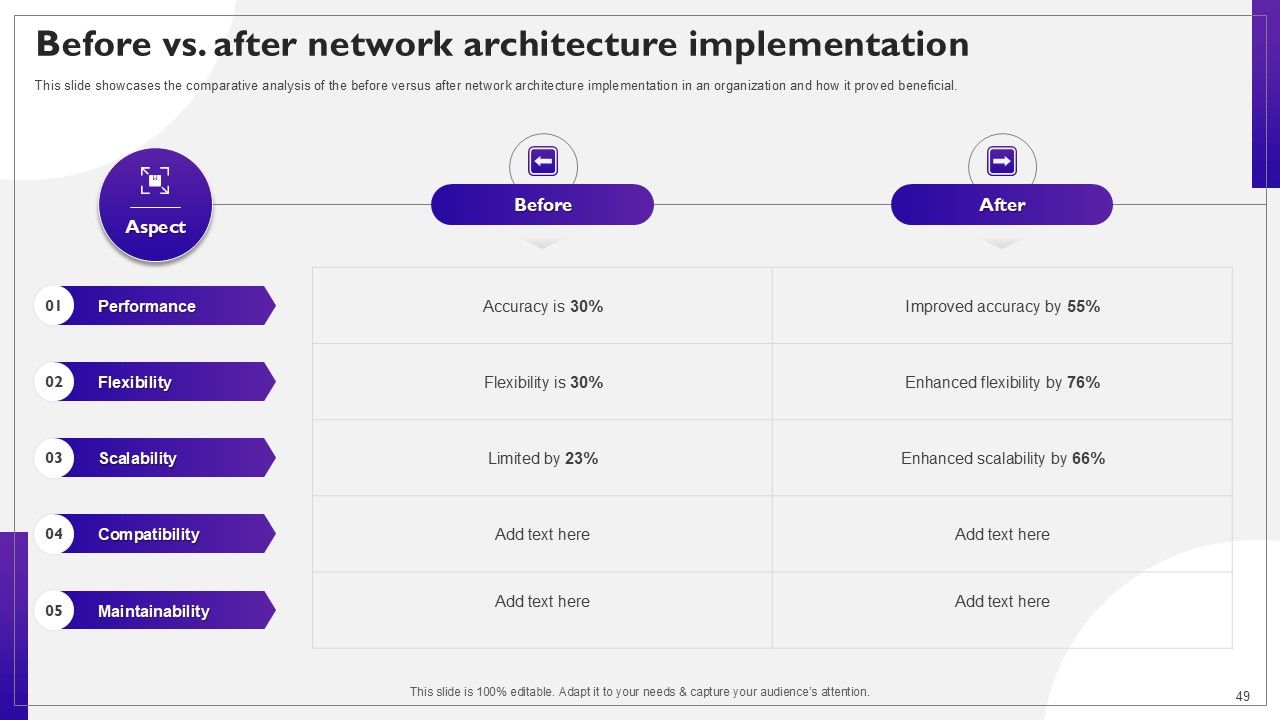
Slide 49: This slide showcases the comparative analysis of the before versus after network architecture implementation in an organization and how it proved beneficial.
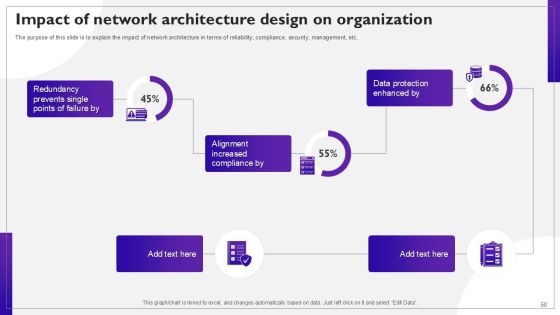
Slide 50: The purpose of this slide is to explain the impact of network architecture in terms of reliability, compliance, security, management, etc.
Slide 51: This slide contains all the icons used in this presentation.
Slide 52: This slide is titled as Additional Slides for moving forward.
Slide 53: This is Our Mission slide with related imagery and text.
Slide 54: This is a Financial slide. Show your finance related stuff here.
Slide 55: This is Our Target slide. State your targets here.
Slide 56: This is a Timeline slide. Show data related to time intervals here.
Slide 57: This slide shows Post It Notes. Post your important notes here.
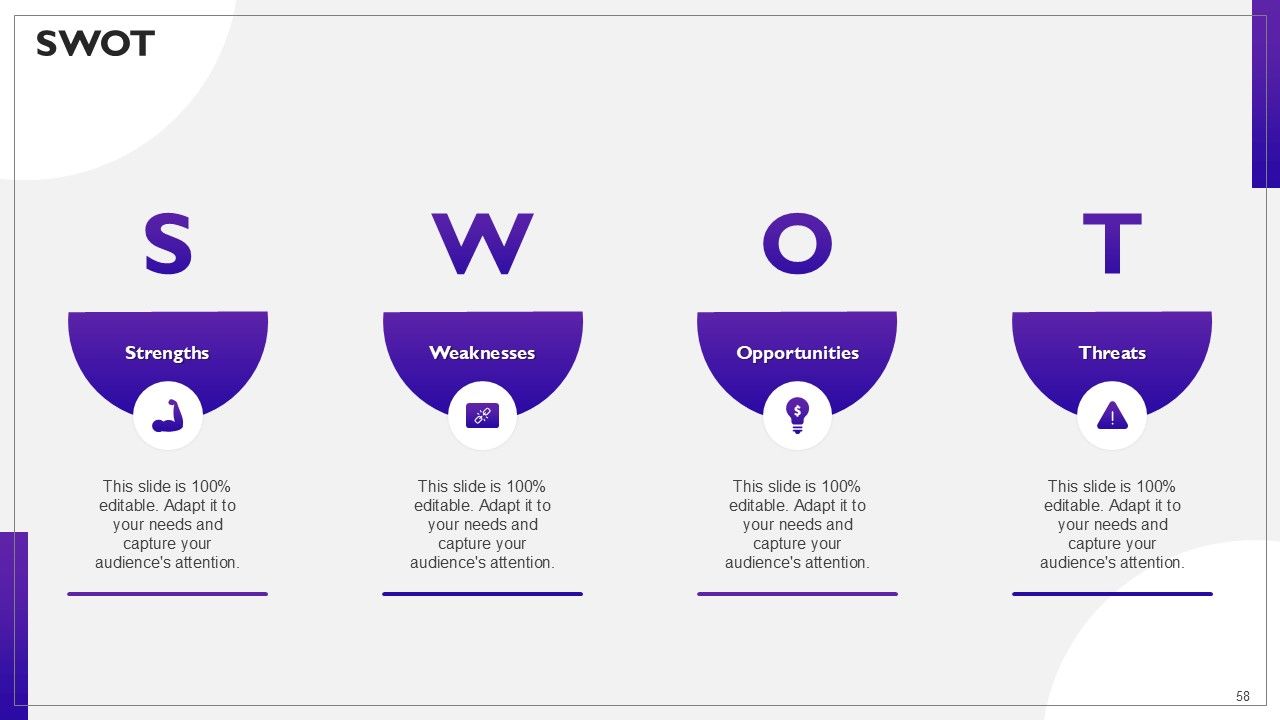
Slide 58: This slide shows SWOT describing- Strength, Weakness, Opportunity, and Threat.
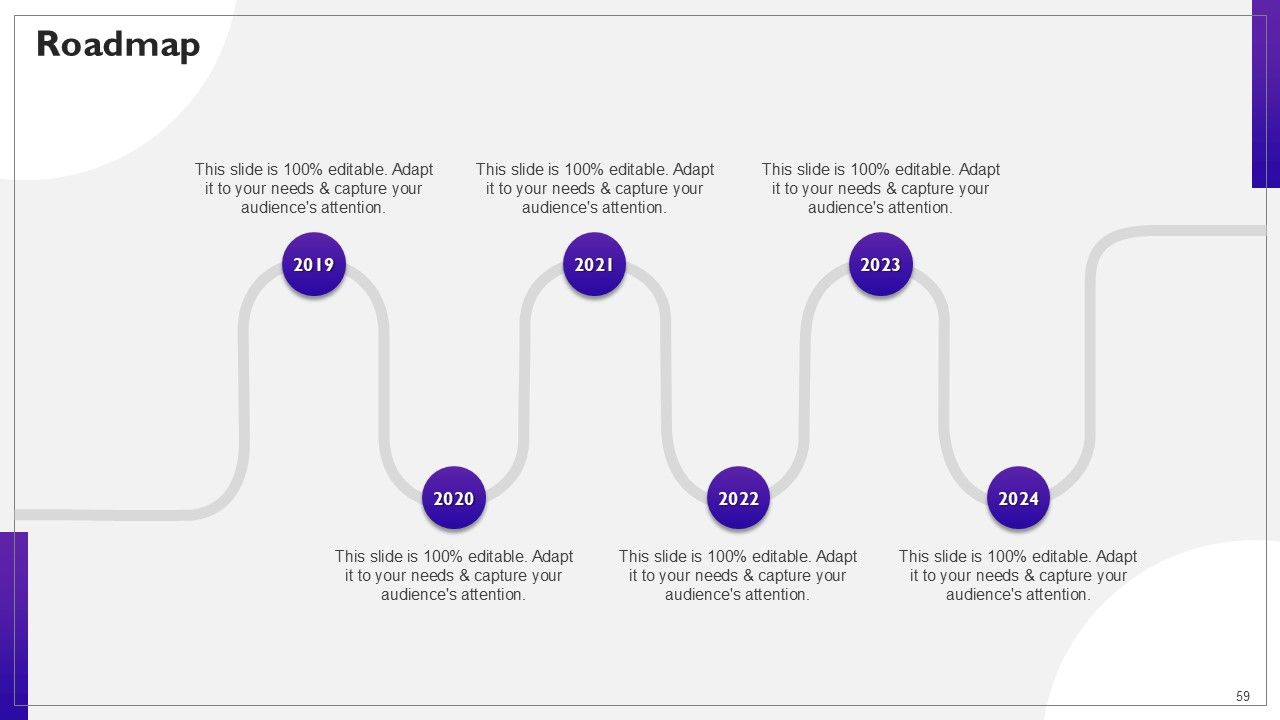
Slide 59: This slide presents Roadmap with additional textboxes.
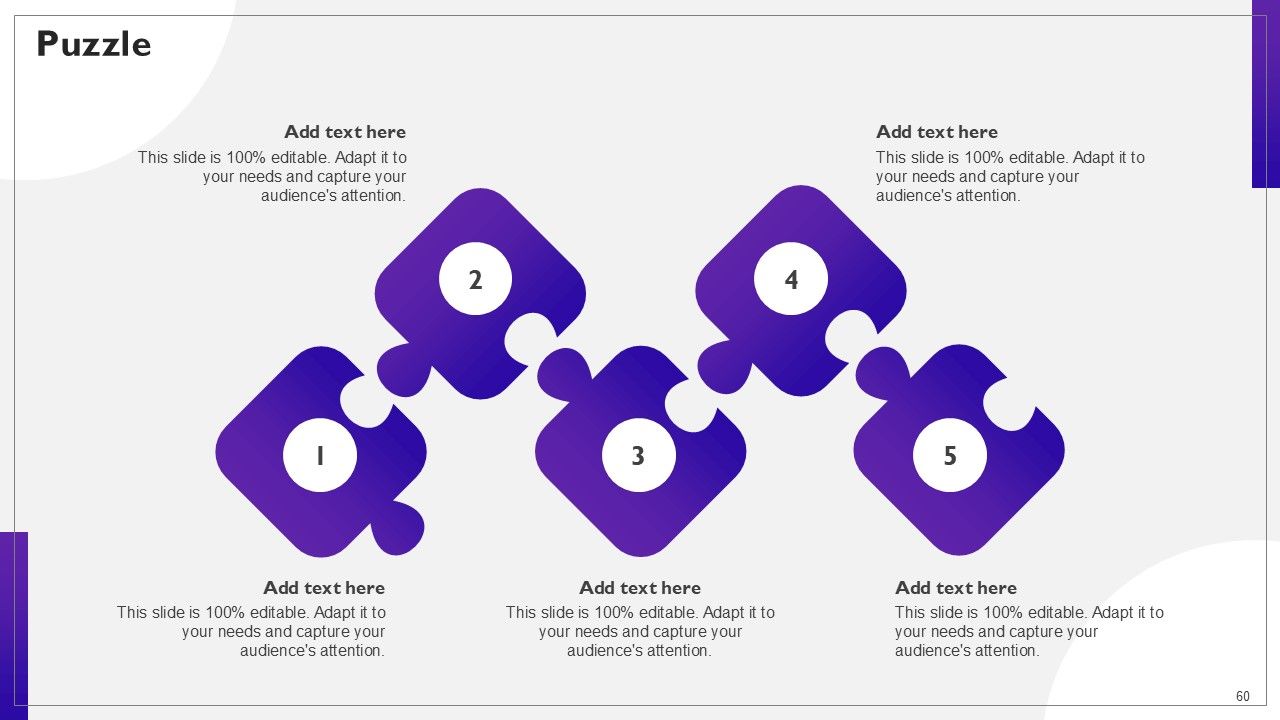
Slide 60: This slide contains Puzzle with related icons and text.
Slide 61: This is a Thank You slide with address, contact numbers and email address.
Most Relevant Reviews
-
Commendable slides with attractive designs. Extremely pleased with the fact that they are easy to modify. Great work!
-
Really like the color and design of the presentation.