


 Home
Home Application Security Testing Ppt Powerpoint Presentation Complete Deck With Slides
Our Application Security Testing Ppt Powerpoint Presentation Complete Deck With Slides are topically designed to provide an attractive backdrop to any subject. Use them to look like a presentation pro.








-

- Google Slides is a new FREE Presentation software from Google.
- All our content is 100% compatible with Google Slides.
- Just download our designs, and upload them to Google Slides and they will work automatically.
- Amaze your audience with SlideGeeks and Google Slides.
-

Want Changes to This PPT Slide? Check out our Presentation Design Services
-

- WideScreen Aspect ratio is becoming a very popular format. When you download this product, the downloaded ZIP will contain this product in both standard and widescreen format.
-

- Some older products that we have may only be in standard format, but they can easily be converted to widescreen.
- To do this, please open the SlideGeeks product in Powerpoint, and go to
- Design ( On the top bar) -> Page Setup -> and select "On-screen Show (16:9)” in the drop down for "Slides Sized for".
- The slide or theme will change to widescreen, and all graphics will adjust automatically. You can similarly convert our content to any other desired screen aspect ratio.
Compatible With Google Slides

Get This In WideScreen
You must be logged in to download this presentation.


Do you want to remove this product from your favourites?
 Impress Your
 Audience
 100%
100% Editable
Compatible with Google Slides
Features of these PowerPoint presentation slides:
People who downloaded this PowerPoint presentation also viewed the following :
Related Products












Application Security Testing Ppt Powerpoint Presentation Complete Deck With Slides with all 81 slides:
Use our Application Security Testing Ppt Powerpoint Presentation Complete Deck With Slides to effectively help you save your valuable time. They are readymade to fit into any presentation structure.
Content of this Powerpoint Presentation
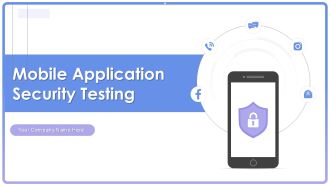
Slide 1: This slide introduces Application Security Testing. State your company name and begin.
Slide 2: This slide states Agenda of the presentation.
Slide 3: This slide shows Table of Content for the presentation.
Slide 4: This slide highlights title for topics that are to be covered next in the template.
Slide 5: This slide discusses the overview of application security which includes its objectives such as protecting data, minimize risk, etc.
Slide 6: This slide outlines the key characteristics of application security which include authentication, authorization, encryption, logging, etc.
Slide 7: This slide highlights the key advantages of application security which include minimum risk exposure, security, etc.
Slide 8: This slide discusses the vulnerabilities and security threats in web application such as SQL injection, cross-site scripting, etc.
Slide 9: This slide highlights title for topics that are to be covered next in the template.
Slide 10: This slide depicts the market growth of application security by software tools such as white-box testing, black-box testing, etc.
Slide 11: This slide showcases the five trends of application security which include, AppSec & CloudSec merge, expanding attack surfaces, etc.
Slide 12: This slide highlights title for topics that are to be covered next in the template.
Slide 13: This slide discusses about the overview of authentication in application security and the various elements of MFA.
Slide 14: The purpose of this slide is to highlight the introduction of second type of web security, that is, cloud native application security.
Slide 15: This slide highlights title for topics that are to be covered next in the template.
Slide 16: This slide discusses the introduction of encryption in application security for protection of specific fields in an application.
Slide 17: This slide outlines the characteristics of encryption in application security such as security, easy-to-use, document support, etc.
Slide 18: This slide showcases the objectives of application-level encryption in application security which include data protection, increased security, etc.
Slide 19: This slide highlights title for topics that are to be covered next in the template.
Slide 20: This slide represents the application security testing tool pyramid which includes tools such as correlation tools, test coverage analysis, etc.
Slide 21: This slide showcases the application security testing tools reference model along with the workflow.
Slide 22: This slide highlights title for topics that are to be covered next in the template.
Slide 23: This slide discusses the overview of authorization in application security for authorized access of resource.
Slide 24: This slide highlights title for topics that are to be covered next in the template.
Slide 25: This slide highlights the introduction of access control safeguards in application security for preventing malicious attacks in applications.
Slide 26: This slide outlines the different types of access control safeguards in application security which include Role-based Access Control (RBAC), Access Control Lists, etc.
Slide 27: This slide represents the installation process of access control system for application security in an organization.
Slide 28: This slide highlights title for topics that are to be covered next in the template.
Slide 29: This slide showcases the introduction of log management in application security for decreasing the security threats.
Slide 30: This slide discusses the selection of security events that need to be logged for application security to ensure user accountability.
Slide 31: This slide highlights the best approaches of logging implementation which include preventing inappropriate actions, employ logging tools, etc.
Slide 32: This slide highlights title for topics that are to be covered next in the template.
Slide 33: This slide discusses the overview of penetration testing for application security which includes the purpose of penetration testing.
Slide 34: This slide highlights the steps for implementing penetration testing which include planning and reconnaissance, gaining access, etc.
Slide 35: This slide highlights title for topics that are to be covered next in the template.
Slide 36: This slide outlines the introduction of secure code review in application security for efficient working of an application.
Slide 37: This slide discusses the two types of secure code review in application security which are automated code review and manual code review.
Slide 38: This slide highlights title for topics that are to be covered next in the template.
Slide 39: This slide outlines the overview of vulnerability scanning in security testing for application security.
Slide 40: This slide highlights the tools used for vulnerability scanning in security testing in application security which include Acunetix, Akto, etc.
Slide 41: This slide highlights title for topics that are to be covered next in the template.
Slide 42: This slide outlines the problems and relevant solutions of application security deployment to ensure smooth functioning.
Slide 43: This slide highlights title for topics that are to be covered next in the template.
Slide 44: This slide showcases the difference between vulnerability scanning and penetration testing based on aspects such as nature, purpose, etc.
Slide 45: This slide showcase the difference between authentication and authorization in application security on aspects such as purpose, operation, etc.
Slide 46: This slide highlights title for topics that are to be covered next in the template.
Slide 47: This slide discusses the best approaches for application security deployment which include assess threats, shift security left, control rights, etc.
Slide 48: This slide showcases the actions performed while deploying application security, person responsible, status and comments for the same.
Slide 49: This slide highlights title for topics that are to be covered next in the template.
Slide 50: This slide represents the training schedule for IT teams in an organization to efficiently implementing application security.
Slide 51: This slide showcases the technology cost breakdown for different components such as internet, software, IT staff, etc.
Slide 52: This slide highlights title for topics that are to be covered next in the template.
Slide 53: This slide outlines the different steps performed while deploying application security, including planning phase, requirement gathering, etc.
Slide 54: This slide depicts the 30 60 90 days plan for application security which includes tasks such as assessment, security implementation, etc.
Slide 55: This slide outlines the steps to deploy application security in organization such as defining objectives, planning, monitoring, etc.
Slide 56: This slide showcases the performance tracking dashboard for application security to analyze and monitor security of application.
Slide 57: This slide highlights title for topics that are to be covered next in the template.
Slide 58: This slide showcases the after application security impact on business along with factors that have improved the overall performance.
Slide 59: This slide showcases the comparative analysis of the before versus after implementation of application security situation of an organization.
Slide 60: This slide highlights title for topics that are to be covered next in the template.
Slide 61: This slide highlights the overview of the company, problems faced, and their related solutions in the case study.
Slide 62: This slide contains all the icons used in this presentation.
Slide 63: This slide is titled as Additional Slides for moving forward.
Slide 64: This slide presents Bar chart with two products comparison.
Slide 65: This is a Timeline slide. Show data related to time intervals here.
Slide 66: This slide depicts Venn diagram with text boxes.
Slide 67: This is a Financial slide. Show your finance related stuff here.
Slide 68: This slide contains Puzzle with related icons and text.
Slide 69: This is Our Goal slide. State your firm's goals here.
Slide 70: This is an Idea Generation slide to state a new idea or highlight information, specifications etc.
Slide 71: This slide provides 30 60 90 Days Plan with text boxes.
Slide 72: This slide shows Post It Notes. Post your important notes here.
Slide 73: This is a Thank You slide with address, contact numbers and email address.
Most Relevant Reviews
-
Topic best represented with attractive design.
-
Awesome use of colors and designs in product templates.