


 Home
Home Implementing Authentication In Application Security PPT Example
Our Implementing Authentication In Application Security PPT Example are topically designed to provide an attractive backdrop to any subject. Use them to look like a presentation pro.
































-

- Google Slides is a new FREE Presentation software from Google.
- All our content is 100% compatible with Google Slides.
- Just download our designs, and upload them to Google Slides and they will work automatically.
- Amaze your audience with SlideGeeks and Google Slides.
-

Want Changes to This PPT Slide? Check out our Presentation Design Services
-

- WideScreen Aspect ratio is becoming a very popular format. When you download this product, the downloaded ZIP will contain this product in both standard and widescreen format.
-

- Some older products that we have may only be in standard format, but they can easily be converted to widescreen.
- To do this, please open the SlideGeeks product in Powerpoint, and go to
- Design ( On the top bar) -> Page Setup -> and select "On-screen Show (16:9)” in the drop down for "Slides Sized for".
- The slide or theme will change to widescreen, and all graphics will adjust automatically. You can similarly convert our content to any other desired screen aspect ratio.
Compatible With Google Slides

Get This In WideScreen
You must be logged in to download this presentation.


Do you want to remove this product from your favourites?
 Impress Your
 Audience
 100%
100% Editable
Compatible with Google Slides
Features of these PowerPoint presentation slides:
People who downloaded this PowerPoint presentation also viewed the following :
Related Products







Implementing Authentication In Application Security PPT Example with all 69 slides:
Use our Implementing Authentication In Application Security PPT Example to effectively help you save your valuable time. They are readymade to fit into any presentation structure.
Content of this Powerpoint Presentation
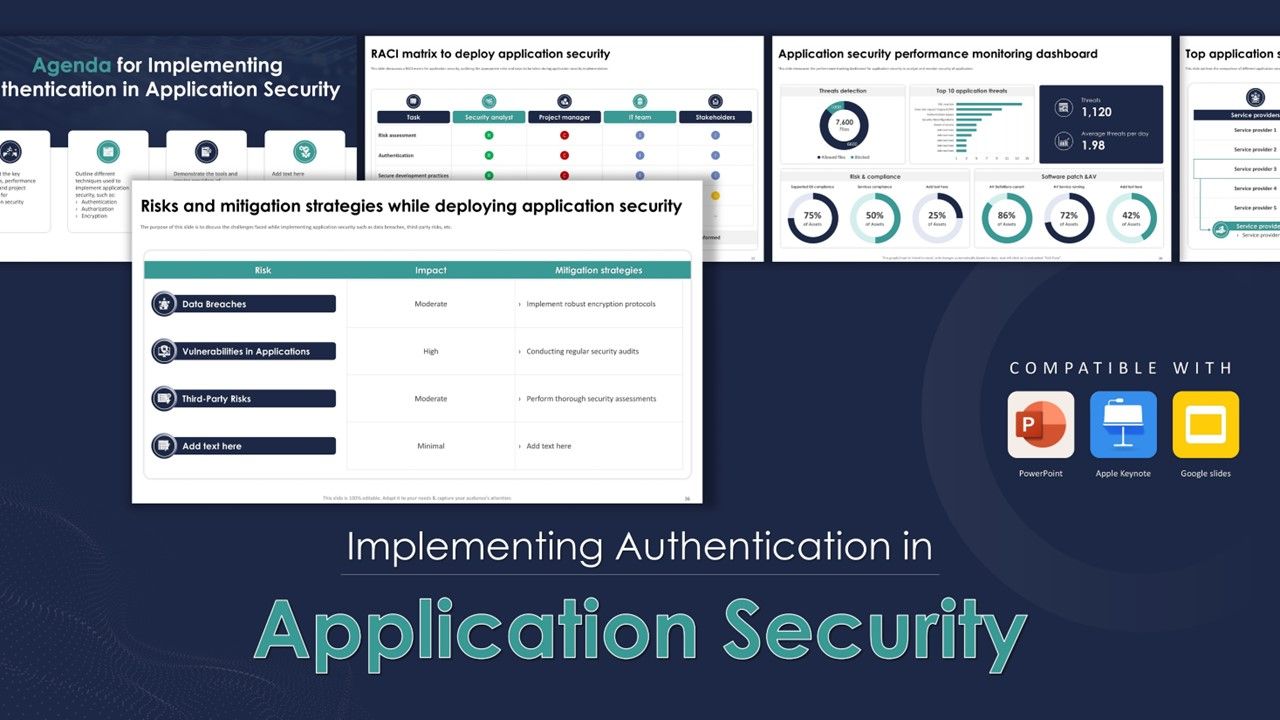
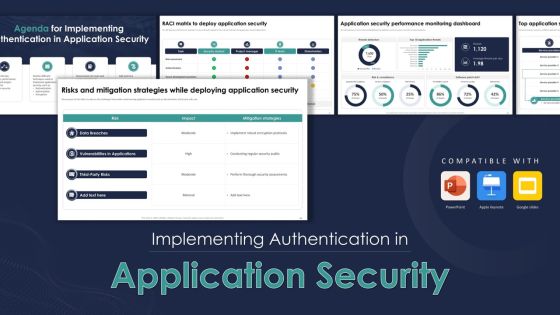
Slide 1: This slide highlights the presentation title: Implementing Authentication in Application Security.
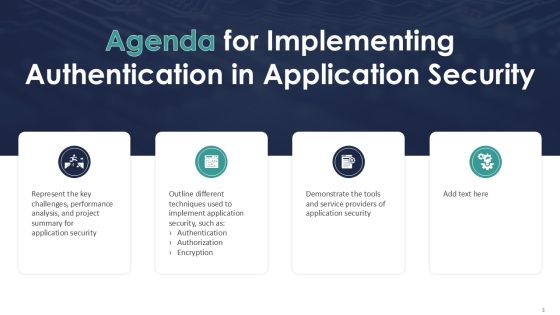
Slide 2: This slide states Agenda of the presentation.
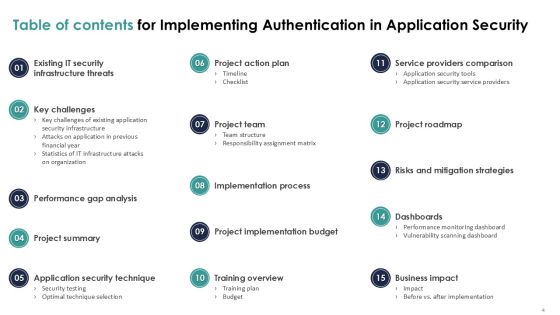
Slide 3: This slide shows Table of Content for the presentation.
Slide 4: This slide highlights title for topics that are to be covered next in the template.
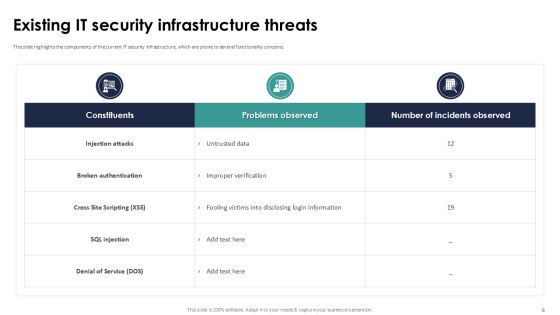
Slide 5: This slide highlights the components of the current IT security infrastructure, which are prone to several functionality concerns.
Slide 6: This slide highlights title for topics that are to be covered next in the template.
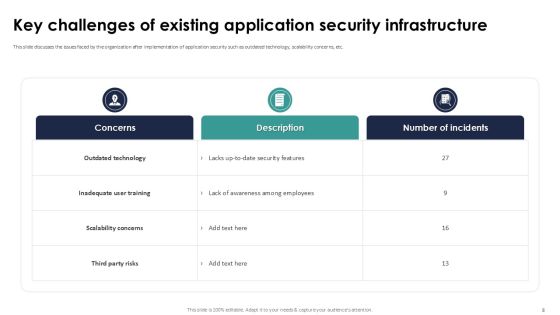
Slide 7: This slide discusses the issues faced by the organization after implementation of application security such as outdated technology, scalability concerns, etc.
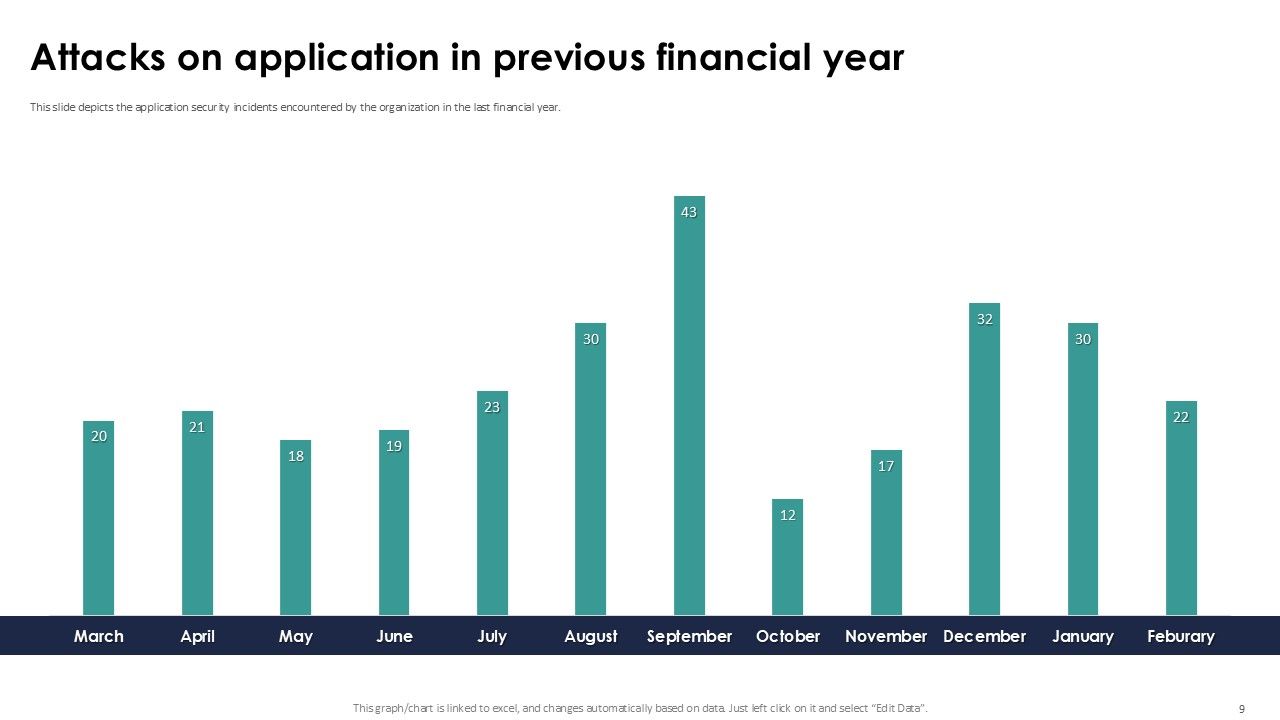
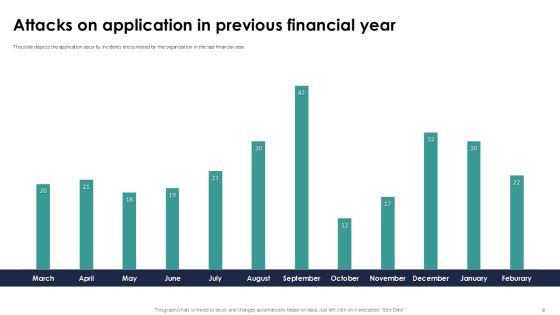
Slide 8: This slide depicts the application security incidents encountered by the organization in the last financial year.
Slide 9: This slide summarizes security attacks across different organizational departments, such as IT, HR, Sales, Finance, etc.
Slide 10: This slide highlights title for topics that are to be covered next in the template.
Slide 11: The purpose of this slide is to indicate the performance analysis of the organization’s current security infrastructure.
Slide 12: This slide highlights title for topics that are to be covered next in the template.
Slide 13: The purpose of this slide is to represent the summary of the application security project providing information regarding problems faced, solution, etc.
Slide 14: This slide highlights title for topics that are to be covered next in the template.
Slide 15: This slide showcases the steps for deploying effective application security testing which include establishing test case, including security exam, etc.
Slide 16: This slide outlines the comparison of different application testing techniques on the basis of parameters such as security provided and cost.
Slide 17: This slide highlights title for topics that are to be covered next in the template.
Slide 18: This slide outlines the different steps performed while deploying application security, including planning phase, requirement gathering, etc.
Slide 19: This slide showcases the actions performed while deploying application security, person responsible, status and comments for the same.
Slide 20: This slide highlights title for topics that are to be covered next in the template.
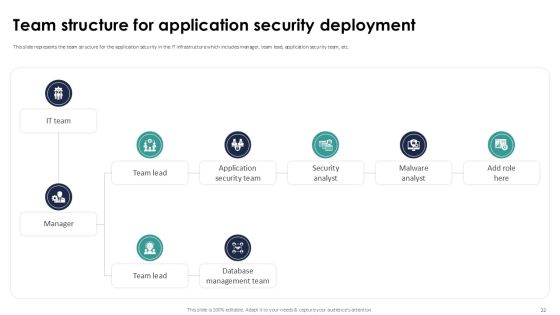
Slide 21: This slide represents the team structure for the application security in the IT infrastructure which includes manager, team lead, application security team, etc.
Slide 22: This slide showcases a RACI matrix for application security, outlining the appropriate roles and steps to be taken during application security implementation.
Slide 23: This slide highlights title for topics that are to be covered next in the template.
Slide 24: This slide showcases the deployment process of security testing parallel to Software Development Testing Lifecycle(SDLC) stages.
Slide 25: This slide highlights title for topics that are to be covered next in the template.
Slide 26: This slide represents the budget allocation for application security which includes training fees, security infrastructure, security audits, incident response, etc.
Slide 27: This slide highlights title for topics that are to be covered next in the template.
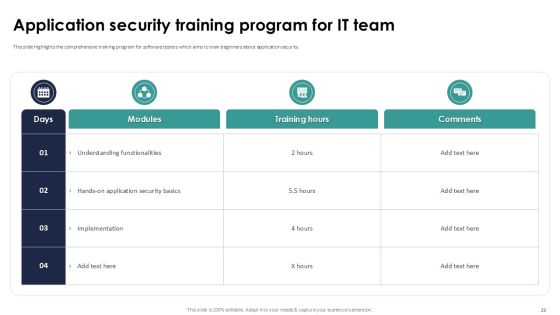
Slide 28: This slide highlights the comprehensive training program for software testers which aims to train beginners about application security.
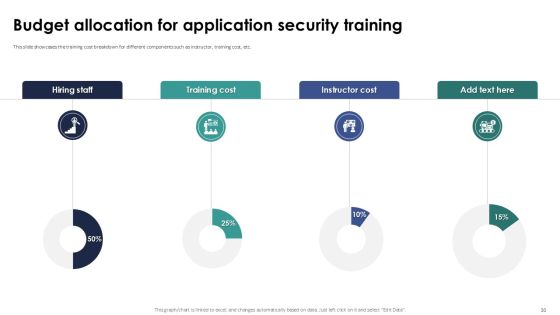
Slide 29: This slide showcases the training cost breakdown for different components such as instructor, training cost, etc.
Slide 30: This slide highlights title for topics that are to be covered next in the template.
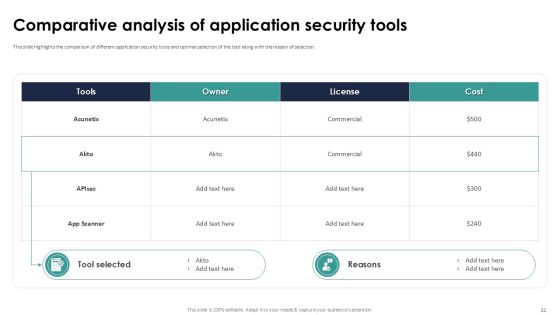
Slide 31: This slide highlights the comparison of different application security tools and optimal selection of the tool along with the reason of selection.
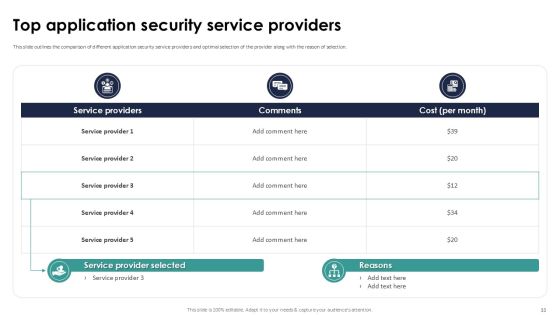
Slide 32: This slide outlines the comparison of different application security service providers and optimal selection of the provider along with the reason of selection.
Slide 33: This slide highlights title for topics that are to be covered next in the template.
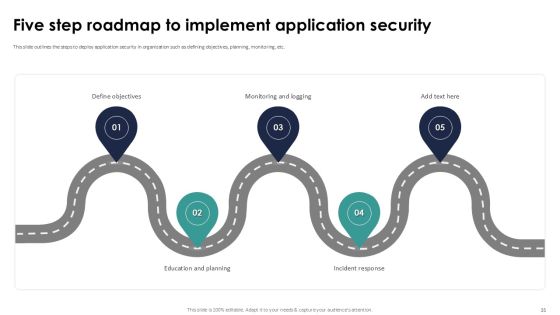
Slide 34: This slide outlines the steps to deploy application security in organization such as defining objectives, planning, monitoring, etc.
Slide 35: This slide highlights title for topics that are to be covered next in the template.
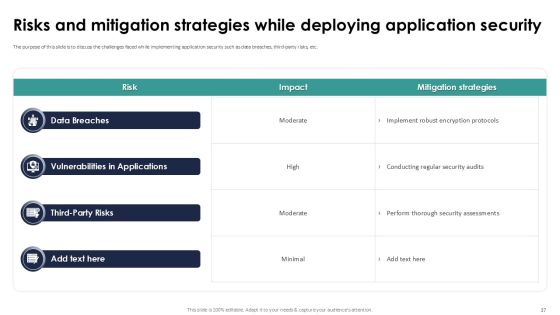
Slide 36: The purpose of this slide is to discuss the challenges faced while implementing application security such as data breaches, third-party risks, etc.
Slide 37: This slide highlights title for topics that are to be covered next in the template.
Slide 38: This slide showcases the performance tracking dashboard for application security to analyze and monitor security of application.
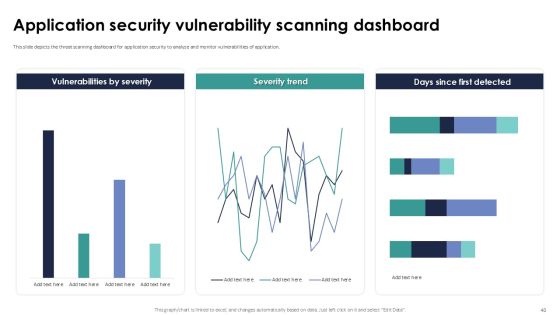
Slide 39: This slide depicts the threat scanning dashboard for application security to analyze and monitor vulnerabilities of application.
Slide 40: This slide highlights title for topics that are to be covered next in the template.
Slide 41: This slide showcases the after application security impact on business along with factors that have improved the overall performance.
Slide 42: This slide showcases the comparative analysis of the before versus after implementation of application security situation of an organization.
Slide 43: This slide contains all the icons used in this presentation.
Slide 44: This slide is titled as Additional Slides for moving forward.
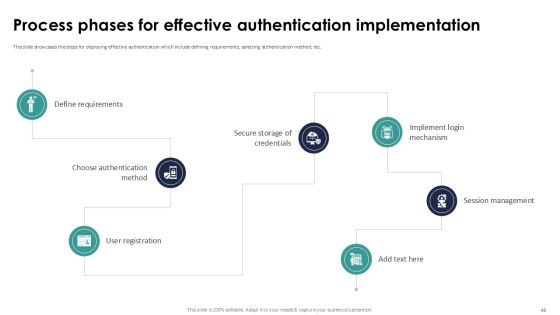
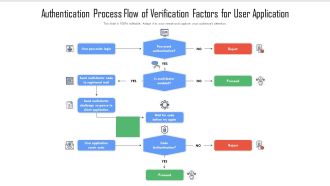
Slide 45: This slide showcases the steps for deploying effective authentication which include defining requirements, selecting authentication method, etc.
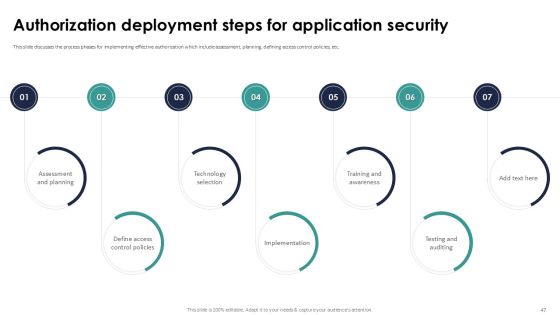
Slide 46: This slide discusses the process phases for implementing effective authorization which include assessment, planning, defining access control policies, etc.
Slide 47: This slide highlights the steps for deploying effective encryption which include selecting appropriate algorithm, choosing correct key size, etc.
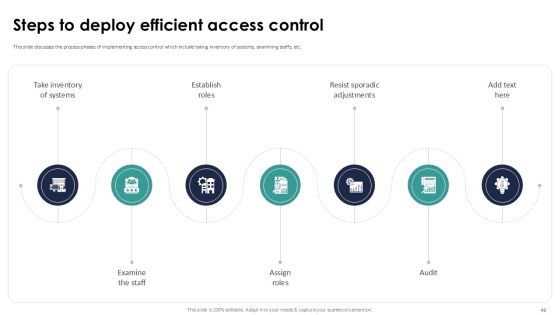
Slide 48: This slide discusses the process phases of implementing access control which include taking inventory of systems, examining staffs, etc.
Slide 49: This slide outlines the steps for deploying effective logging which include assess requirements, select logging tool, defining logging standards, etc.
Slide 50: This slide highlights the steps for deploying cloud-native application security which include understanding principles, risk assessment, etc.
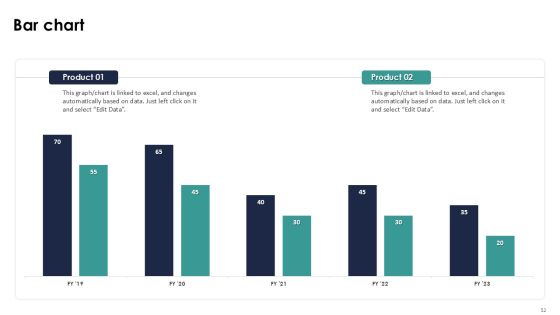
Slide 51: This slide presents Bar chart with two products comparison.
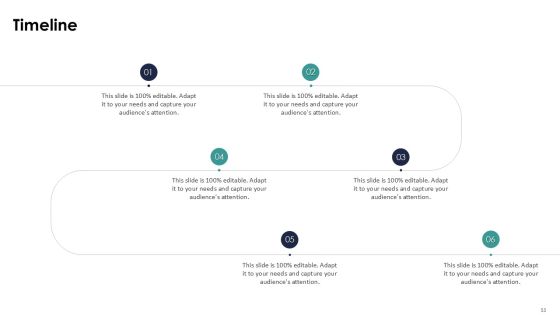
Slide 52: This is a Timeline slide. Show data related to time intervals here.
Slide 53: This slide depicts Venn diagram with text boxes.
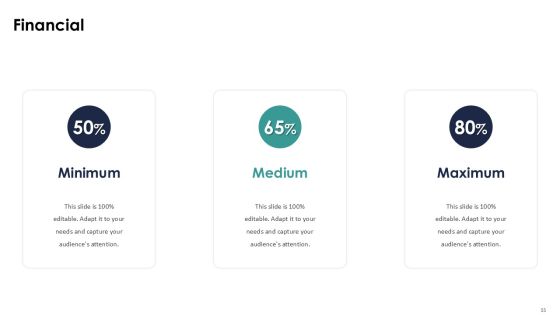
Slide 54: This is a Financial slide. Show your finance related stuff here.
Slide 55: This slide contains Puzzle with related icons and text.
Slide 56: This is Our Goal slide. State your firm's goals here.
Slide 57: This is an Idea Generation slide to state a new idea or highlight information, specifications etc.
Slide 58: This slide provides 30 60 90 Days Plan with text boxes.
Slide 59: This slide shows Post It Notes. Post your important notes here.
Slide 60: This is a Thank You slide with address, contact numbers and email address.
Most Relevant Reviews
-
Wonderful templates design to use in business meetings.
-
Great designs, Easily Editable.