


 Home
Home Status Report Vs Progress Report Explained PPT Summary AT
Explore the differences between status reports and progress reports with our comprehensive PowerPoint presentation. Learn key definitions purposes and best practices in a professional format. Perfect for project managers and teams aiming to enhance communication and reporting efficiency. Elevate your reporting skills today.








-

- Google Slides is a new FREE Presentation software from Google.
- All our content is 100% compatible with Google Slides.
- Just download our designs, and upload them to Google Slides and they will work automatically.
- Amaze your audience with SlideGeeks and Google Slides.
-

Want Changes to This PPT Slide? Check out our Presentation Design Services
-

- WideScreen Aspect ratio is becoming a very popular format. When you download this product, the downloaded ZIP will contain this product in both standard and widescreen format.
-

- Some older products that we have may only be in standard format, but they can easily be converted to widescreen.
- To do this, please open the SlideGeeks product in Powerpoint, and go to
- Design ( On the top bar) -> Page Setup -> and select "On-screen Show (16:9)” in the drop down for "Slides Sized for".
- The slide or theme will change to widescreen, and all graphics will adjust automatically. You can similarly convert our content to any other desired screen aspect ratio.
Compatible With Google Slides

Get This In WideScreen
You must be logged in to download this presentation.


Do you want to remove this product from your favourites?
 Impress Your
 Audience
 100%
100% Editable
Compatible with Google Slides
Features of these PowerPoint presentation slides:
Step up your game with our enchanting Status Report Vs Progress Report Explained PPT Summary deck guaranteed to leave a lasting impression on your audience. Crafted with a perfect balance of simplicity and innovation our deck empowers you to alter it to your specific needs. You can also change the color theme of the slide to mold it to your companys specific needs. Save time with our readymade design compatible with Microsoft versions and Google Slides. Additionally its available for download in various formats including JPG JPEG and PNG. Outshine your competitors with our fully editable and customized deck. Explore the differences between status reports and progress reports with our comprehensive PowerPoint presentation. Learn key definitions purposes and best practices in a professional format. Perfect for project managers and teams aiming to enhance communication and reporting efficiency. Elevate your reporting skills today.
People who downloaded this PowerPoint presentation also viewed the following :
Related Products


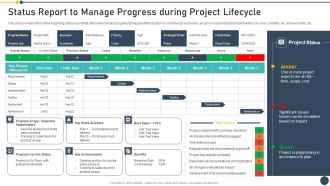
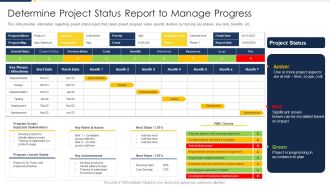


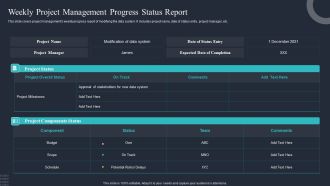

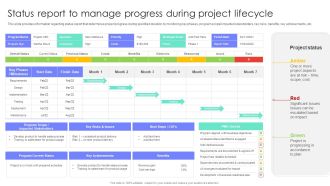
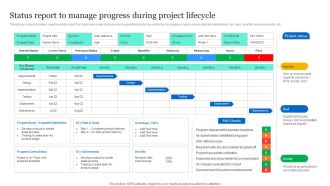
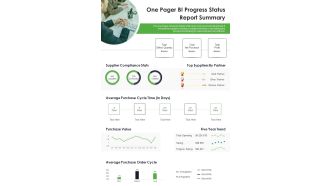

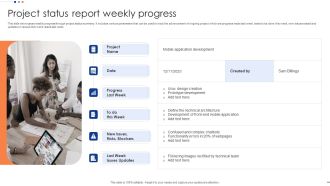

Status Report Vs Progress Report Explained PPT Summary AT with all 38 slides:
Use our Status Report Vs Progress Report Explained PPT Summary AT to effectively help you save your valuable time. They are readymade to fit into any presentation structure.
Most Relevant Reviews
No Reviews