


 Home
Home User Story Prioritization PPT Guidelines VM
Elevate your project management skills with our User Story Prioritization PPT Guidelines. This professional presentation deck offers clear frameworks, practical tips, and visual aids to effectively prioritize user stories. Streamline your workflow, enhance team collaboration, and drive successful outcomes with this essential resource for agile teams.


-

- Google Slides is a new FREE Presentation software from Google.
- All our content is 100% compatible with Google Slides.
- Just download our designs, and upload them to Google Slides and they will work automatically.
- Amaze your audience with SlideGeeks and Google Slides.
-

Want Changes to This PPT Slide? Check out our Presentation Design Services
-

- WideScreen Aspect ratio is becoming a very popular format. When you download this product, the downloaded ZIP will contain this product in both standard and widescreen format.
-

- Some older products that we have may only be in standard format, but they can easily be converted to widescreen.
- To do this, please open the SlideGeeks product in Powerpoint, and go to
- Design ( On the top bar) -> Page Setup -> and select "On-screen Show (16:9)” in the drop down for "Slides Sized for".
- The slide or theme will change to widescreen, and all graphics will adjust automatically. You can similarly convert our content to any other desired screen aspect ratio.
Compatible With Google Slides

Get This In WideScreen
You must be logged in to download this presentation.


Do you want to remove this product from your favourites?
 Impress Your
 Audience
 100%
100% Editable
Compatible with Google Slides
Features of these PowerPoint presentation slides:
Unlock the power of effective decision-making with our User Story Prioritization PPT Guidelines. Designed for agile teams and product managers, this premium presentation deck offers a visually engaging way to communicate essential prioritization strategies. With editable slides that seamlessly integrate data visualization techniques, you can transform complex user stories into actionable insights. Elevate your corporate presentations and enhance stakeholder engagement through compelling visual storytelling. Whether youre using PowerPoint, Google Slides, or Keynote templates, our guidelines ensure your pitch deck resonates with clarity and purpose. Make prioritization a breeze and drive your projects forward with confidence. Elevate your project management skills with our User Story Prioritization PPT Guidelines. This professional presentation deck offers clear frameworks, practical tips, and visual aids to effectively prioritize user stories. Streamline your workflow, enhance team collaboration, and drive successful outcomes with this essential resource for agile teams.
People who downloaded this PowerPoint presentation also viewed the following :
Related Products
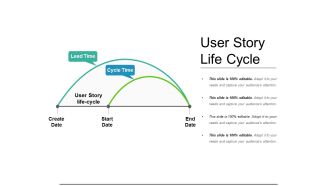

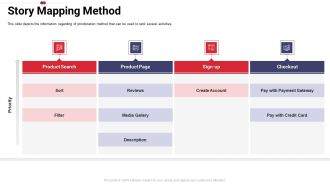

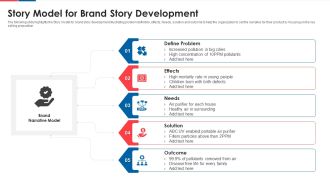
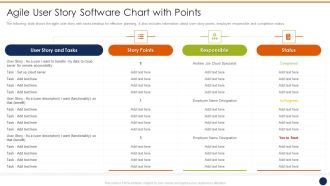



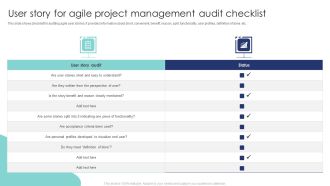


User Story Prioritization PPT Guidelines VM with all 40 slides:
Use our User Story Prioritization PPT Guidelines VM to effectively help you save your valuable time. They are readymade to fit into any presentation structure.
Most Relevant Reviews
-
Great experience, I would definitely use your services further.
-
Great experience, I would definitely use your services further.